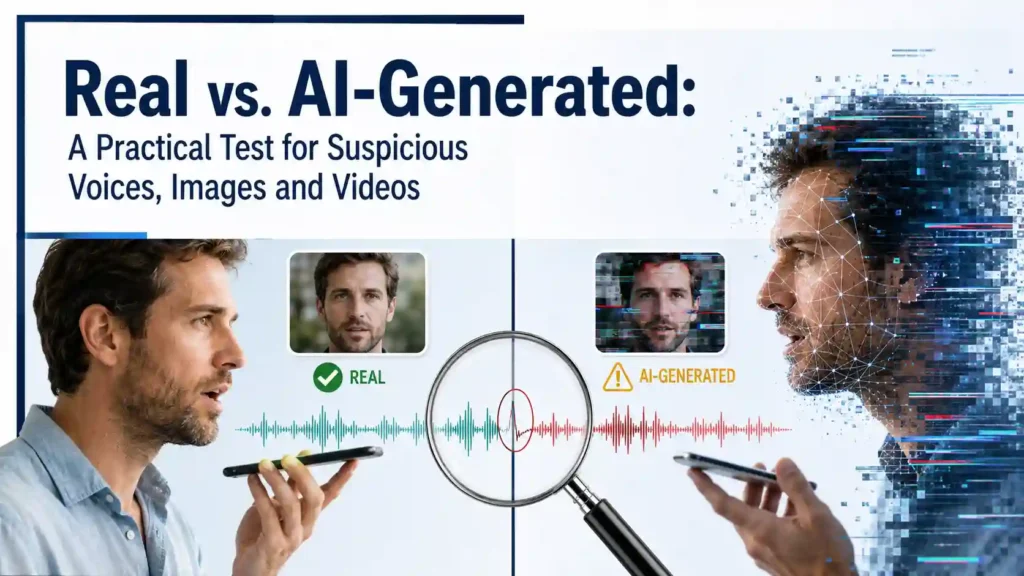
A trembling voice sounds exactly like your daughter. A video shows a well-known expert recommending an investment. A photograph appears to prove that a shocking event happened.
Your first instinct may be to believe your eyes and ears. That instinct is no longer safe.
AI-generated voices, images and videos can imitate real people, invent realistic events and turn a few seconds of publicly available content into convincing evidence. Obvious defects such as distorted hands, robotic speech and mismatched lips still appear, but advanced fakes may contain none of them.
AI Kidnapping Scam: How to Verify the Terrifying “Mom, I’m in Trouble” Call
AI Family Emergency Scam: How Criminals Clone a Loved One’s Voice and Make the Lie Feel Real
You therefore need more than a list of visual clues. You need a repeatable verification process that still protects you when the content looks completely real.
This guide gives you exactly that. You will learn how to test suspicious audio, photographs and videos, what warning signs deserve attention, which popular detection methods can fail and what to do before sending money, sharing information or spreading a potentially fabricated story.
The Most Important Rule: Realistic Does Not Mean Real
People often approach suspicious media with one question:
“Does this look or sound fake?”
That is the wrong question.
A better question is:
“Can I verify where this came from and what it is asking me to believe or do?”
Appearance alone is weak evidence. A genuine recording can look strange because of poor lighting, compression, network delays or automatic image enhancement. An AI-generated video can look flawless after careful editing. A real photograph can also be paired with a false caption and used to misrepresent an unrelated event.
This creates at least four possibilities:
- The content is authentic and presented honestly.
- The content is authentic but shown with a false description.
- The content is partly manipulated.
- The content is completely AI-generated.
Your job is not merely to identify artificial pixels. It is to verify the entire claim.
Use the TRACE Test Before You Trust Suspicious Media
The TRACE test is a practical five-step process for examining a suspicious voice, image or video:
- T — Trigger: What emotion or action is the content trying to trigger?
- R — Route: How did it reach you, and can you trace its original source?
- A — Analyze: What technical or behavioral inconsistencies can you find?
- C — Confirm: Can you verify the person, event or claim independently?
- E — Execute safely: What should you do—or refuse to do—until verification is complete?
Do not skip directly to looking for distorted fingers or strange blinking. Start with the situation surrounding the content. In many cases, the scam becomes obvious from the request even when the media remains technically convincing.
Let’s apply each part of the test.
T — Identify the Trigger
AI-generated scams are rarely created simply to impress you. They are usually designed to provoke a reaction before you have time to verify anything.
Ask what the content is pushing you to feel:
- Fear
- Urgency
- Excitement
- Sympathy
- Anger
- Curiosity
- Greed
- Embarrassment
- Loyalty
- Secrecy
Then ask what it wants you to do.
Common high-risk actions include:
- Sending money immediately
- Buying gift cards or cryptocurrency
- Revealing a password or verification code
- Clicking an unfamiliar link
- Downloading a file or application
- Moving a conversation to another platform
- Approving a payment or changing bank details
- Sharing the content before checking it
- Investing because a celebrity apparently recommended it
- Keeping the request secret from relatives or coworkers
A distressed voice saying, “Please don’t tell Mum; just send the money,” should be treated as suspicious even if it perfectly matches someone you love.
A polished video promising guaranteed investment returns is dangerous even if every facial movement looks natural.
The request is often a stronger warning than the technical quality of the content.
The pressure test
Before doing anything, ask:
Would this request still make sense if the voice, photograph or video were removed?
If the answer is no, someone may be using synthetic media as false proof.
For example, an unexpected investment should not become trustworthy merely because a respected public figure appears to endorse it. A payment request should not bypass normal verification merely because your manager’s face appears on a video call.
R — Trace the Route and Original Source
A forwarded clip is not a source. A screenshot is not a source. A social media account using a familiar photograph is not proof of identity.
Start by examining how the content reached you.
Ask:
- Did it come from the person’s normal phone number or account?
- Was the account recently created?
- Is the username slightly misspelled?
- Was the content forwarded several times?
- Is the original upload available?
- Does the post link to a legitimate website?
- Does the sender refuse to communicate through the usual channel?
- Has the account suddenly changed its subject, language or behavior?
- Are comments disabled or filled with repetitive praise?
- Does the sender want you to leave the platform quickly?
Scammers sometimes steal a real account, so receiving content from a familiar profile is not conclusive proof. However, an unusual route increases the need for independent verification.
Find the earliest available version
If the suspicious item is public, look for the earliest known appearance rather than relying on the most popular repost.
Search for:
- A distinctive sentence from the caption
- Words spoken in the video
- The claimed event and date
- The person’s name plus the supposed announcement
- Earlier versions of the image
- Longer versions of the recording
A short video may have been cut to hide context. An old photograph may be presented as breaking news. Genuine footage may have been altered with fabricated audio.
The closer you get to the original material, the easier it becomes to judge the claim.
Check whether the source fits the message
Suppose a company executive appears to announce a major policy through an unknown social account. Ask why the announcement is missing from the company’s established website and verified communication channels.
Suppose a relative sends an emergency voice note from a new number. Ask why that person cannot answer through the number you already have.
When the source and message do not fit, stop treating the media as proof.
A — Analyze the Voice, Image or Video
Technical warning signs are useful, but none should be treated as a guaranteed verdict. AI systems improve, genuine media can contain strange artifacts and social platforms often reduce quality.
Look for clusters of inconsistencies instead of relying on one defect.
How to Test a Suspicious Voice or Audio Recording
A cloned voice may reproduce someone’s pitch, accent and general speaking style. It may even include realistic emotion. Concentrate on the interaction and context as well as the sound.
1. Listen for unnatural rhythm
Possible warning signs include:
- Pauses in unexpected places
- Words delivered at an unusually even pace
- Sudden changes in speed
- Incorrect emphasis
- Sentences that sound individually natural but do not flow together
- Emotional intensity that does not change with the story
- Repeated speech patterns
Do not reject a recording based on rhythm alone. Stress, illness, a weak connection or poor editing can make a genuine voice sound unnatural.
2. Pay attention to breathing and background sound
Listen for:
- No audible breathing during long sentences
- Breaths appearing in unnatural places
- Background noise that suddenly disappears
- A room sound that changes while the person keeps speaking
- The voice sounding much cleaner than the surroundings
- Repeating background-noise patterns
- Unusual clicks or transitions between phrases
These can suggest that separate audio pieces were generated or combined. They can also result from ordinary noise reduction, so treat them as reasons to investigate rather than proof.
3. Notice pronunciation errors
AI-generated voices may struggle with:
- Family nicknames
- Local place names
- Unusual surnames
- Code-switching between languages
- Private expressions
- Words the real person normally pronounces in a distinctive way
This gives you an important verification opportunity. Ask the caller to repeat an unusual word or answer a question that requires an unscripted response.
4. Interrupt the script
During a suspicious live call, ask unexpected questions:
- “What did we eat the last time we met?”
- “What name did you call our old neighbour?”
- “Which entrance do we normally use?”
- “Tell me the private family word.”
- “What did I give you yesterday?”
Choose something that is not publicly available or easily found in old social media posts.
Do not ask for a birthday, address, pet’s name or school if that information may be online.
5. Hang up and call back yourself
This is the most important voice test.
End the suspicious call. Use a trusted number already saved in your phone or contact another relative who can physically confirm the person’s safety.
Do not call a number supplied by the suspicious caller. Do not simply press “redial” when number spoofing may be involved.
If the caller says you must remain on the line, that makes independent verification more necessary—not less.
How to Test a Suspicious or AI-Generated Image
AI image generation has improved significantly. Counting fingers is no longer a serious verification strategy by itself.
Examine the whole scene, not just the person’s face.
1. Inspect text inside the image
Look closely at:
- Street signs
- Clothing logos
- Product labels
- Posters
- Documents
- Name badges
- Vehicle plates
- Storefronts
AI-generated text may contain malformed letters, inconsistent spelling or meaningless symbols. However, modern systems can create accurate text, and genuine images may contain blurred writing.
Text errors are clues, not a final verdict.
2. Check physical relationships
Ask whether objects interact naturally.
Look for:
- Glasses that do not sit correctly on the ears
- Earrings with different structures
- Fingers merging with objects
- Clothing seams that disappear
- Straps entering the body
- Objects floating slightly above surfaces
- A hand holding something without believable pressure
- Hair blending into the background
- Teeth merging together
- Reflections that do not match visible objects
Focus on intersections: the points where one object meets another. Generative errors often appear there.
3. Compare light, shadows and reflections
Ask:
- Do all shadows point in a direction consistent with the light?
- Are some faces lit differently despite occupying the same space?
- Does a mirror show what should be in front of it?
- Do reflective surfaces reproduce the scene properly?
- Is an object casting a shadow that does not fit its shape?
- Are the eyes showing inconsistent reflections?
A manipulated image may combine people or objects photographed under different lighting conditions.
Be careful, though. Multiple lamps, camera flashes and reflected light can create complicated but genuine shadow patterns.
4. Examine the background
People naturally focus on faces, which is why the background deserves special attention.
Look for:
- Repeated people or objects
- Buildings with impossible structures
- Furniture that changes shape
- Crooked windows
- Roads that lead nowhere
- Blended faces in crowds
- Inconsistent perspective
- Objects that become less logical toward the edges
- Signs containing random characters
The central subject may look perfect while less important details fall apart.
5. Check proportions and geometry
AI-generated images may contain subtle structural problems:
- One arm longer than the other
- Misaligned shoulders
- Uneven pupils
- Inconsistent jewellery
- Impossible furniture legs
- Doors that could not open
- Floors meeting walls at conflicting angles
- Vehicles with mismatched wheels
- Repeated patterns that change unexpectedly
Again, do not confuse unusual photography with fabrication. Wide-angle lenses, motion and perspective can distort genuine objects.
6. Run a reverse image search
A reverse image search can reveal whether the picture:
- Appeared online years earlier
- Belongs to a different person
- Was taken in another country
- Came from an unrelated event
- Was copied from a legitimate website
- Exists in an unaltered form
Finding an older version does not automatically prove that the newer image is AI-generated. It may instead show that a real photograph is being used with a false story—which can be just as deceptive.
7. Look for provenance information
Some files or platforms may include information about when, where or how content was created or edited. A visible AI label, reliable content credential or supported digital signature can provide useful evidence.
However:
- Labels may be removed during reposting.
- Screenshots may strip embedded information.
- Metadata can be edited.
- Missing metadata does not prove that a file is fake.
- Ordinary messaging apps often compress or rebuild files.
Treat provenance as one layer of evidence, not an infallible certificate.
How to Test a Suspicious or AI-Generated Video
A video gives you more evidence than a still image because you can inspect movement, sound and consistency across frames.
1. Watch once without sound
Removing the audio prevents a convincing voice from distracting you.
Pay attention to:
- Facial boundaries that shimmer or blur
- Features changing shape during movement
- Skin texture shifting between frames
- Hair or earrings disappearing
- Glasses changing structure
- Teeth or tongue behaving unnaturally
- The face failing to follow the head correctly
- Sudden changes when the person turns sideways
- Expressions that do not reach the eyes
Do not rely on blinking frequency. That once-common test is now too weak to be useful on its own.
2. Listen without watching
Now hide the screen and examine the audio separately.
Ask:
- Does the speech sound natural?
- Are the pauses appropriate?
- Does the emotion fit the facial expression you saw?
- Does the room noise remain consistent?
- Do some words sound sharper or flatter than others?
- Does the speaker use vocabulary they would normally use?
Separating audio and video makes inconsistencies easier to notice.
3. Check lip synchronization
Replay moments containing words with clear mouth movements.
Look for:
- The mouth beginning to move before or after the sound
- Lips failing to close on sounds that require closure
- Jaw movement that does not match speech intensity
- Teeth remaining unnaturally fixed
- Lip shape changing without corresponding sound
Network delays, dubbing and platform compression can also cause synchronization problems. Confirm with additional evidence.
4. Slow the video down
Use the platform’s slow-motion setting or move through the clip frame by frame.
Watch the edges around:
- The face
- Hair
- Neck
- Ears
- Glasses
- Hands
- Microphones
- Objects passing in front of the person
Manipulation may become visible when the face turns quickly, a hand crosses it or the lighting changes.
5. Check continuity
Real scenes usually maintain stable details unless something physically changes.
Look for:
- Jewellery appearing or disappearing
- Clothing patterns shifting
- Background objects changing shape
- Skin marks moving
- Buttons changing position
- Microphones or furniture warping
- Shadows jumping between frames
- Crowd members duplicating
- Reflections failing to follow movement
Short, fast-moving clips are harder to inspect and may intentionally prevent you from studying details.
6. Search for the complete video
A fake endorsement may use authentic footage with replacement audio. A misleading political clip may remove the sentence that changed the meaning. A dramatic video may belong to a film, game, simulation or unrelated incident.
Search for the full speech, interview or event. Compare:
- Clothing
- Background
- Camera angle
- Body movement
- Original audio
- Upload date
- Surrounding statements
If you find the original footage with different words, you have much stronger evidence of manipulation than any facial defect could provide.
C — Confirm the Claim Independently
This is where your test becomes genuinely reliable.
A convincing fake can survive visual inspection. It cannot easily survive proper independent verification.
Confirm the person
If someone you know appears to request money, information or account access:
- End the current communication.
- Contact the person through a trusted channel.
- Ask a private question or use your agreed family code.
- Confirm the situation with another person who is physically nearby.
- Refuse to act until verification is complete.
Seeing someone’s face during a call is no longer enough.
Confirm the event
If a photograph or video claims to show a major event:
- Search for reporting from multiple independent sources.
- Check whether credible coverage describes the same location and time.
- Look for different camera angles.
- Compare weather, clothing, landmarks and daylight.
- Check whether official channels have addressed the event.
- Search for the earliest upload instead of trusting reposts.
A major event supposedly witnessed by hundreds of people should usually produce more than one anonymous clip.
Confirm the offer
If a public figure appears to endorse an investment, giveaway or product:
- Visit the official website by typing its address yourself.
- Check established accounts rather than links in the post.
- Search for the full announcement.
- Verify licences and company registration independently where appropriate.
- Examine whether the offer promises guaranteed returns or unusually easy profits.
- Refuse to deposit money solely because of a video endorsement.
A real celebrity in a real video does not make an unrelated website legitimate.
Confirm the request
For business payments or account changes:
- Contact the requester through a known channel.
- Verify bank details verbally using a trusted number.
- Require normal approval procedures.
- Confirm unusual instructions with another authorized person.
- Document the verification.
- Never let “confidentiality” cancel financial controls.
If a request is legitimate, it can survive a short verification delay.
E — Execute Safely When You Are Still Unsure
You may not always reach a definite answer. That is normal.
The goal is not to win a forensic argument. The goal is to avoid an irreversible mistake.
If you remain uncertain:
- Do not send money.
- Do not share passwords or one-time codes.
- Do not install software.
- Do not give remote access to your device.
- Do not reveal sensitive personal information.
- Do not forward the content as fact.
- Save the suspicious message and account details.
- Report the account or post.
- Contact the person or organization directly.
- Ask a trusted second person to review the situation.
You do not need to prove that something is fake before refusing a dangerous request.
The 60-Second Real vs. AI-Generated Test
When time is limited, use this rapid version of the TRACE test.
First 10 seconds: Stop the emotional reaction
Ask:
- What does this make me feel?
- What does it want me to do immediately?
Urgency plus an unusual request is enough reason to pause.
Next 10 seconds: Check the route
Ask:
- Is this the person’s normal account or number?
- Can I identify the original source?
- Am I looking at a forwarded copy or screenshot?
Next 15 seconds: Scan for inconsistencies
For audio, check rhythm, breathing and background noise.
For an image, inspect text, hands, reflections, intersections and background details.
For video, check lip synchronization, facial edges and continuity between frames.
Next 15 seconds: Verify elsewhere
Call the person using a saved number, visit the official website directly or search for independent confirmation.
Final 10 seconds: Protect the decision
If verification is incomplete, do not pay, click, disclose or share.
That final refusal is more important than correctly identifying the technology used.
Can an AI Detector Tell You Whether Content Is Fake?
Automated detection tools can help, but relying on one score is dangerous.
A detector may produce:
- A false positive, incorrectly labelling genuine media as AI-generated
- A false negative, failing to detect manipulated content
- Different results after compression or resizing
- Unreliable results for media created by an unfamiliar model
- Confident-looking percentages that are easy to misinterpret
A result such as “82% likely AI-generated” is not the same as proof. Likewise, a “probably real” result does not make a financial request safe.
Use detectors as supporting evidence alongside:
- Source tracing
- Reverse image searching
- Provenance checks
- Frame-by-frame inspection
- Direct contact
- Independent confirmation
- Normal security procedures
Never upload private family recordings, confidential business media, identification documents or intimate images to an unfamiliar detection service. The privacy cost could be greater than the benefit.
Common Mistakes That Make AI Fakes Harder to Detect
Mistake 1: Looking only for bad hands
Hands can still reveal generation errors, but advanced images may render them accurately. Meanwhile, genuine photographs can distort hands through motion, perspective or editing.
Inspect the full claim, source and scene.
Mistake 2: Trusting a familiar voice
A familiar voice should make you more careful when the request is unusual. It should not replace verification.
The question is not “Does this sound like him?” It is “Can I confirm that it is him?”
Mistake 3: Assuming a live video call proves identity
Real-time face manipulation and pre-recorded responses can create convincing interactions. For important requests, verify through a second channel and follow established procedures.
Mistake 4: Trusting account badges or large follower numbers
Accounts can be copied, renamed, hacked or designed to imitate legitimate profiles. Check the exact username, account history, linked website and established channels.
Mistake 5: Treating missing metadata as proof
Files lose metadata through messaging, screenshots, editing and platform compression. Missing information raises questions but does not answer them.
Mistake 6: Believing something because it confirms your opinion
You are more vulnerable to fabricated media when it supports what you already want to believe.
Before sharing an emotionally satisfying video, ask:
Would I demand more evidence if this content supported the opposite side?
If the answer is yes, your judgment is being influenced by confirmation bias.
Mistake 7: Sharing first and correcting later
False content can spread far beyond your correction. Do not repost suspicious media merely to ask whether it is real. Your repost may still make it look credible.
Create a Family Voice-Clone Safety Plan
Families should prepare before receiving an emergency call.
Choose a private verification phrase
Select a memorable phrase that:
- Is not posted online
- Is not a birthday or address
- Would not be easy to guess
- Can be spoken naturally under pressure
- Is known only to trusted family members
Do not write the phrase in a publicly accessible note or group chat.
Agree on an emergency verification process
Every family member should know:
- Unexpected money requests require a callback.
- A call must be made to a previously saved number.
- Another relative should confirm the situation.
- No one should send money while being told to keep the call secret.
- Failure to answer the code question means no action.
A real emergency deserves quick action, but verification can be part of that action.
Build a Deepfake-Resistant Process at Work
Businesses should not depend on employees recognizing artificial speech or faces. The stronger defence is a process that remains safe even when the fake looks perfect.
Use controls such as:
- Two-person approval for sensitive payments
- Callback verification for new bank details
- Known contact lists
- Written confirmation through established systems
- Limits on urgent transfers
- Separate approval for changing account information
- A clear way to report suspicious requests
- Regular practice using realistic scenarios
- No exceptions based solely on executive authority
A fake manager cannot easily defeat a process that requires confirmation from a second authorized person.
What to Do If You Already Responded
Act quickly if you sent money, disclosed information or installed something after receiving suspicious media.
If you sent money
- Contact the bank, card provider or payment service immediately.
- Ask whether the transaction can be stopped or recalled.
- Secure the affected account.
- Preserve transaction details and messages.
- Report the incident through the appropriate fraud channel.
- Ignore anyone promising guaranteed recovery for an upfront fee.
If you shared a password or code
- Change the password from a trusted device.
- Sign out of other sessions.
- Enable stronger multi-factor authentication.
- Check recovery email addresses and phone numbers.
- Review account activity.
- Change reused passwords on other accounts.
If you installed software or gave remote access
- Disconnect the device from the internet.
- End any active remote-access session.
- Remove unfamiliar access tools.
- Run reputable security scans.
- Review sensitive accounts using a different trusted device.
- Consider professional technical help if financial or business systems were exposed.
If fake media impersonates you
- Save copies, links, usernames and timestamps.
- Report the content and impersonating accounts.
- Warn close contacts through established channels.
- State clearly what is false without repeatedly distributing the harmful content.
- Contact relevant financial institutions if the fake requests money.
- Seek appropriate legal or professional support if the material threatens your safety, work or reputation.
Frequently Asked Questions
How can you tell whether something is real or AI-generated?
Do not rely on appearance alone. Trace the original source, inspect the media for inconsistencies, verify the claim through independent channels and refuse high-risk actions until confirmation is complete.
What are the clearest signs of an AI-generated image?
Possible signs include inconsistent text, impossible object relationships, mismatched reflections, changing patterns, distorted background details and conflicting geometry. None of these signs is guaranteed to appear.
What does an AI-generated voice sound like?
Some cloned voices have unnatural pauses, limited emotional variation, missing breaths or inconsistent background noise. Advanced clones may sound entirely natural, making callback verification more reliable than listening for defects.
Can scammers create a voice from a short recording?
Modern systems can use publicly available speech samples to imitate a person’s voice. The required amount and resulting quality vary, but you should assume that publicly shared audio could be misused.
Can an AI-generated video happen during a live call?
Yes. A live-looking face or voice should not be treated as sufficient identity proof when money, passwords, confidential information or account access are involved.
Are distorted fingers still a reliable AI test?
No. They remain a possible clue, but modern generators can produce realistic hands, while genuine photographs can distort them. Use several checks and verify the source.
Does a social media AI label prove that content is fake?
A reliable label can provide useful evidence that content was generated or altered. However, missing labels do not prove authenticity because content may be reposted, captured or stripped of embedded information.
Does metadata prove that a photograph is real?
No. Metadata can be removed or modified, and genuine files frequently lose it during sharing. It should be considered alongside other evidence.
Are deepfake detectors accurate?
They can provide helpful signals, but no consumer detector should be treated as a perfect judge. Results can change because of compression, editing, file quality and the generation method used.
Can a genuine video still be misleading?
Absolutely. Real footage can be cropped, slowed, paired with fake audio, placed in the wrong context or accompanied by a false caption.
What should you do if a relative calls asking for emergency money?
End the call, contact the relative using a trusted number, ask for the private family verification phrase and confirm the situation with another person. Do not send money while remaining on the original call.
Should you confront the sender of suspicious media?
Not necessarily. If the content involves a scam, confrontation may give the sender another opportunity to pressure you. Preserve the evidence, verify independently, block the account when appropriate and report it.
What is the safest way to verify a suspicious celebrity endorsement?
Ignore the link attached to the endorsement. Visit the person’s or organization’s established channels directly, search for the complete statement and verify the company or offer independently.
Can reverse image search detect every AI-generated picture?
No. A completely new image may have no earlier match. Reverse searching is most useful for exposing stolen photographs, old content and altered versions of genuine images.
Should you share suspicious content to warn other people?
Share a warning without unnecessarily redistributing the deceptive media. If showing it is essential, clearly label it as unverified or fabricated and avoid including active scam links or contact details.
Final Rule: Verify the Identity, Not the Performance
The old advice was to believe what you could see with your own eyes. That advice is obsolete.
A familiar face can be generated. A trusted voice can be cloned. A real video can be edited, relabelled or paired with fabricated speech. Searching endlessly for a distorted finger or missed blink will not give you reliable protection.
The strongest test is simpler:
- Pause when content triggers urgency or fear.
- Trace where it came from.
- Analyze the media without treating clues as proof.
- Confirm the claim through a separate trusted route.
- Refuse irreversible action while doubt remains.
You do not have to determine exactly how a suspicious voice, image or video was created. You only have to stop it from controlling your decision.
AI Kidnapping Scam: How to Verify the Terrifying “Mom, I’m in Trouble” Call
What Are AI Scams? How Artificial Intelligence Is Making Fraud Harder to Spot