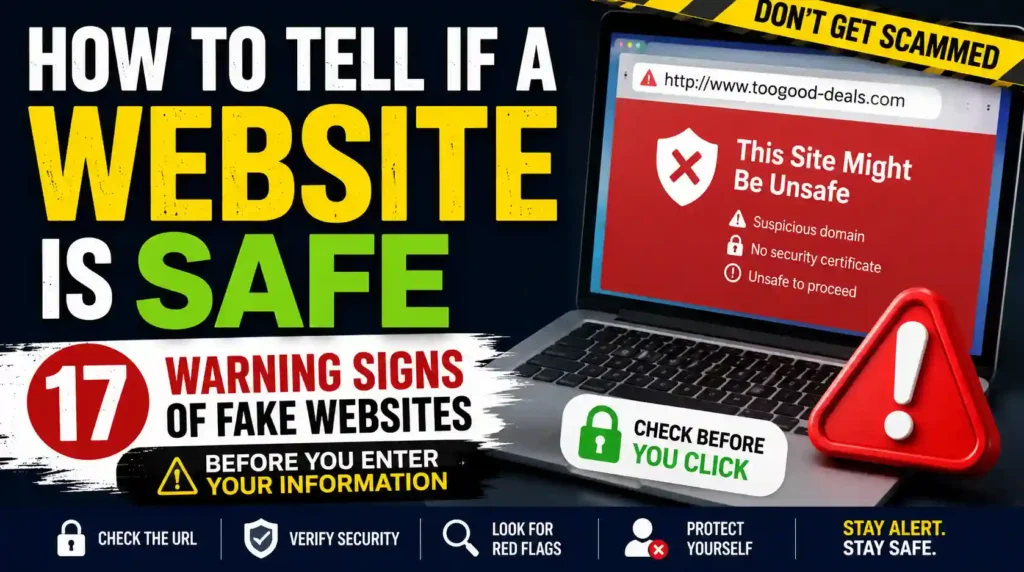
Imagine this.
You’re looking for a great deal on a new phone. After a quick Google search, you find a website offering it for 50% less than every other retailer. The site looks professional. It has a modern design, glowing customer reviews, and even a padlock icon beside the web address.
Without thinking twice, you enter your name, address, credit card details, and click “Place Order.”
Minutes later, the confirmation email never arrives.
Hours pass.
The next day, you notice unfamiliar charges on your bank account.
The website has disappeared.
Unfortunately, this happens to thousands of people every single day.
Criminals no longer need to hack your computer to steal your money. They simply build convincing fake websites and wait for people to trust them.
Some websites are created to steal your passwords. Others collect your payment details. Some install malware the moment you download a file. The most dangerous ones look almost identical to legitimate websites, making them incredibly difficult to recognize at first glance.
The good news is that fake websites almost always leave clues.
Once you know what those clues are, you’ll be able to identify many dangerous websites before they have the chance to steal your money, personal information, or identity.
In this guide, you’ll learn exactly how to tell if a website is safe, the warning signs criminals hope you’ll overlook, and the simple habits that can help keep you one step ahead of online scammers.
Why Fake Websites Are So Dangerous
Years ago, fake websites were often easy to identify.
Many looked poorly designed, contained obvious spelling mistakes, and asked for suspicious information immediately.
Today, that’s no longer true.
Cybercriminals can copy an entire website in minutes.
They steal company logos.
They copy product descriptions.
They duplicate checkout pages.
They even add fake customer reviews to make the site appear trustworthy.
Some fake websites are so convincing that victims don’t realize they’ve been scammed until days or even weeks later.
That’s why learning how to evaluate a website has become an essential online safety skill.
Safe Websites Don’t Always Look Safe—And Dangerous Websites Don’t Always Look Dangerous
One of the biggest mistakes people make is judging a website by its appearance.
A beautiful website can be fake.
An older-looking website can be completely legitimate.
Never assume a website is trustworthy simply because it looks professional.
Instead, learn how to investigate it properly.
Phishing Emails Often Lead to Fake Websites
Many people think phishing emails are the scam.
In reality, the email is often just the beginning.
Most phishing emails are designed to send victims to fake websites where they’re asked to:
- Sign into their account
- Enter banking information
- Confirm payment details
- Download malware
- Verify personal information
The S.A.F.E. Website Check
Whenever you visit a website you’ve never used before, remember the S.A.F.E. Website Check.
It takes less than a minute, but it can save you from losing your money, identity, or access to important accounts.
S — Study the Website Carefully
Don’t rush.
Professional scammers know that most people decide whether to trust a website within a few seconds. That’s why fake websites often look polished and convincing.
Instead of focusing only on the homepage, explore the site.
Click a few pages.
Does everything work properly?
Do the pages look professionally written?
Does the information make sense?
The more time you spend examining a website, the easier it becomes to spot inconsistencies.
A — Analyze the Web Address
The website’s address tells you far more than its appearance.
Read every character carefully.
Scammers often register addresses that are almost identical to legitimate businesses.
For example:
Legitimate:
- paypal.com
- amazon.com
- microsoft.com
Fake:
- paypaI.com
- amaz0n.com
- microsoft-login.net
Notice how small the differences are.
Criminals know most people glance at website addresses instead of reading them carefully.
Don’t give them that advantage.
F — Find Independent Proof
Never trust a website simply because it says it’s trustworthy.
Look for evidence outside the website.
For example:
- Search the company name on Google.
- Read independent customer reviews.
- Check whether the business has an active social media presence.
- Look for recent mentions on reputable websites.
If you can’t find any independent evidence that the business exists, proceed with caution.
E — Evaluate Before Entering Information
Before typing:
- your password
- your credit card details
- your address
- your phone number
- your banking information
ask yourself one simple question:
Have I verified this website independently?
If the answer is no, stop.
A few extra minutes of checking can save months of financial stress.
17 Warning Signs of a Fake Website
Fake websites are becoming more convincing every year, but most of them still reveal themselves through small details.
The more warning signs you notice, the less likely the website is to be legitimate.
1. The Website Address Looks Slightly Different
This is one of the easiest ways to spot a fake website.
Compare these examples.
Legitimate:
- amazon.com
- paypal.com
- netflix.com
Fake:
- amaz0n.com
- paypaI.com
- netflix-support.net
At first glance, they appear identical.
They aren’t.
Scammers rely on people reading quickly instead of carefully.
Always read the entire web address before trusting any website.
2. You Arrived There Unexpectedly
Think about how you reached the website.
Did you type the address yourself?
Or did you click a link from:
- an email
- a text message
- a WhatsApp message
- a pop-up advertisement
- a QR code
Unexpected links deserve extra scrutiny.
Whenever possible, type the official website directly into your browser instead of clicking links from messages.
3. Prices Are Too Good to Be True
Scammers know everyone loves a bargain.
That’s why fake websites often advertise unbelievable discounts.
Examples include:
- Brand-new smartphones at half price.
- Luxury watches with 90% discounts.
- Designer handbags for a fraction of their normal cost.
- High-end laptops selling for less than used ones.
Ask yourself:
Why would this company sell products for far less than every other retailer?
If you can’t find a reasonable explanation, there’s probably one you won’t like.
4. Every Product Is “Almost Sold Out”
Fake websites often try to pressure you into buying immediately.
You might see messages such as:
- Only 2 left in stock.
- Sale ends in 5 minutes.
- 27 people are viewing this item.
- Your cart expires soon.
These tactics create urgency.
When people feel rushed, they stop checking whether a website is trustworthy.
Don’t let artificial urgency make your decisions.
5. The Contact Information Is Missing
Legitimate businesses usually make it easy for customers to contact them.
Look for:
- a physical address
- a customer service email
- a telephone number
- business hours
- a contact page
If none of these exist—or they appear fake—you should become suspicious.
Try searching the address online.
Does it actually belong to the business?
6. The About Us Page Says Almost Nothing
The About Us page often reveals whether a business is genuine.
A trustworthy company usually explains:
- who they are
- when they started
- where they’re located
- what they sell
- why they exist
Fake websites often use vague statements such as:
We are committed to providing the best products with excellent customer satisfaction.
That tells you almost nothing.
If the company can’t clearly explain who they are, you should think twice before giving them your money.
7. The Website Accepts Only Risky Payment Methods
Be cautious if a website only accepts:
- cryptocurrency
- gift cards
- wire transfers
- direct bank transfers
These payment methods usually offer little or no protection if something goes wrong.
Reputable online stores typically accept payment methods that provide buyers with some level of consumer protection.
8. Every Review Is Perfect
Customer reviews are helpful—but only if they’re genuine.
Be suspicious if:
- every review gives five stars
- every customer sounds the same
- no one mentions any negatives
- hundreds of reviews were posted within a short period
Real businesses almost always receive a mixture of positive and negative feedback.
Perfect reviews aren’t always a sign of a perfect company.
Sometimes they’re a sign of fake reviews.
9. The Website Is Full of Grammar Mistakes
Years ago, this was one of the easiest warning signs.
Today, artificial intelligence has helped scammers improve their writing.
However, many fake websites still contain:
- spelling mistakes
- awkward sentences
- inconsistent formatting
- untranslated text
- broken English
One mistake isn’t enough to prove a website is fake.
Several mistakes together should encourage you to investigate further.
10. There Is No Privacy Policy or Terms of Service
Legitimate businesses are transparent about how they collect, use, and protect your information.
Before making a purchase or creating an account, scroll to the bottom of the website and look for pages such as:
- Privacy Policy
- Terms and Conditions
- Refund Policy
- Shipping Policy
- Cookie Policy
If these pages don’t exist—or they’re only a few vague sentences long—you should be cautious.
Scam websites often ignore these details because they don’t expect to stay online for very long.
11. The Website Uses Copied or Low-Quality Images
Professional businesses invest in original product photography.
Fake websites often copy images from other online stores.
Watch out for:
- Blurry product photos
- Different image styles on the same page
- Watermarks from another company
- Images that don’t match the product description
If something feels inconsistent, try performing a reverse image search.
If the same photo appears on dozens of unrelated websites, that’s a warning sign.
12. Pop-Ups Constantly Pressure You
Have you ever visited a website that immediately bombards you with messages like:
- Spin the wheel to win!
- Claim your free gift!
- Limited-time offer!
- You have one minute remaining!
- Subscribe before leaving!
One or two pop-ups aren’t unusual.
But if every action triggers another urgent message, the website may care more about manipulating visitors than providing a trustworthy experience.
Professional websites focus on helping customers—not overwhelming them.
13. The Website Has No Real Online Presence
A legitimate business usually leaves digital footprints.
Search for the company’s name.
Can you find:
- A Google Business Profile?
- Active social media accounts?
- Independent customer reviews?
- News articles?
- Mentions on reputable websites?
If the only search results lead back to the website itself, that’s a reason to investigate further.
Every genuine business starts somewhere, but complete invisibility should make you cautious.
14. The Domain Was Registered Very Recently
Many scam websites exist for only a few weeks or months before disappearing.
A newly registered domain doesn’t automatically mean a website is fake, but when combined with other warning signs, it becomes important.
Several free online tools allow you to check:
- When the domain was registered.
- Who registered it (when available).
- How long it has existed.
If an online store claims to have served customers for ten years but its website was registered last month, something doesn’t add up.
15. The Checkout Page Feels Suspicious
The checkout process should inspire confidence—not uncertainty.
Warning signs include:
- Asking for unnecessary personal information.
- Redirecting you to unfamiliar payment pages.
- Multiple spelling mistakes during checkout.
- Strange payment instructions.
- Requests for additional payments after checkout.
Before entering your payment details, pause and review everything carefully.
If anything seems unusual, abandon the purchase until you’ve verified the business.
16. The Website Claims to Be “Official” Without Evidence
Scammers frequently use words such as:
- Official
- Certified
- Verified
- Authorized
- Trusted
Anyone can write these words.
The important question is:
Can they prove it?
For example, if a website claims to be an authorized retailer, visit the manufacturer’s official website and check whether the business is actually listed.
Don’t rely on claims alone.
Verify them independently.
17. Something Doesn’t Feel Right
Sometimes you can’t explain why a website makes you uncomfortable.
Perhaps:
- The wording seems unusual.
- The layout feels inconsistent.
- The offers appear unrealistic.
- The contact details don’t make sense.
Don’t ignore your instincts.
Most scam victims later say they noticed something felt wrong—but continued anyway because they didn’t want to miss a good deal.
Remember:
Missing a bargain is far better than losing your money.
The Biggest Myth About Website Security
One of the most dangerous misconceptions online is this:
“The website has a padlock icon, so it must be safe.”
Unfortunately, that’s no longer true.
The padlock simply means that information sent between your browser and the website is encrypted.
It does not mean:
- The business is legitimate.
- The products are genuine.
- Your payment is safe.
- The owners are trustworthy.
Criminals can also obtain HTTPS certificates.
So while you should avoid websites that don’t use HTTPS for sensitive information, never assume a website is safe simply because you see a padlock.
Always combine HTTPS with the other checks you’ve learned in this guide.
A Simple Test Before You Buy Anything Online
Before entering your payment details, ask yourself these five questions:
- Did I arrive here from a trusted source?
- Have I checked the website address carefully?
- Can I verify this business outside its own website?
- Does everything about the website feel consistent and professional?
- Would I recommend a family member shop here with confidence?
If you hesitate on even one question, stop and investigate further.
Those few minutes could save you hundreds—or even thousands—of dollars.
What Should You Do If You Think a Website Is Fake?
Don’t panic.
Take these steps immediately.
- Leave the website without entering any information.
- Don’t create an account.
- Don’t download any files.
- Don’t make a payment.
- Report the website if appropriate.
- Warn friends or family if you’ve seen the link shared on social media.
If you’ve already entered sensitive information:
- Change your password immediately.
- Enable multi-factor authentication if available.
- Contact your bank if payment details were entered.
- Monitor your accounts for suspicious activity.
- Scan your device if you downloaded any files.
The faster you act, the better your chances of preventing further damage.
Prevention Is Always Better Than Recovery
Once criminals have your passwords, payment information, or identity, fixing the damage can take weeks, months, or even years.
That’s why learning to recognize fake websites before interacting with them is one of the smartest online habits you can develop.
This article focuses on fake websites, but scammers constantly evolve their tactics. They also use phishing emails, fake delivery notifications, QR-code scams, romance scams, AI-generated impersonation, investment fraud, and tech support scams to trick unsuspecting people.
Your Personal Website Safety Checklist
Before entering personal or financial information on any unfamiliar website, run through this quick checklist.
✔ I typed the website address myself or verified where the link came from.
✔ I carefully checked the domain name.
✔ I confirmed the business exists outside its own website.
✔ The contact information appears genuine.
✔ The website offers secure, trusted payment methods.
✔ The prices seem realistic.
✔ I didn’t feel pressured to act immediately.
✔ The checkout process looks professional.
✔ I verified the business independently.
✔ I’m completely comfortable entering my information.
If you can’t confidently tick every box, don’t proceed until you’ve done more research.
A few extra minutes today can prevent months of frustration tomorrow.
Frequently Asked Questions About How To Tell If a Website Is Safe
Learning how to evaluate websites takes practice. These answers address some of the most common questions people have before entering personal or financial information online.
Can a Website Look Professional and Still Be Fake?
Yes. Modern scammers can copy the appearance of legitimate websites with surprising accuracy. They often use official logos, professional layouts, and convincing product descriptions to gain your trust. That’s why you should never judge a website by its appearance alone. Always verify the web address, contact information, and business reputation before entering sensitive information.
Is the Padlock Icon Enough to Prove a Website Is Safe?
No.
The padlock simply means your connection to the website is encrypted.
It does not confirm that:
- the business is legitimate
- the products are genuine
- the owners are trustworthy
- your payment is protected from fraud
Many scam websites also use HTTPS.
Always perform several safety checks instead of relying on the padlock alone.
How Can I Check if an Online Store Is Legitimate?
Start by searching for the company’s name outside its own website.
Look for:
- independent customer reviews
- a physical business address
- active social media accounts
- clear contact information
- realistic pricing
- transparent return and refund policies
If you struggle to find evidence that the business actually exists, proceed with caution.
Is It Safe to Buy From a Website I’ve Never Heard Of?
Sometimes.
Many legitimate businesses are new.
However, before making a purchase, take time to verify the company’s reputation, payment methods, contact details, and online presence.
A few minutes of research can save you from becoming a victim of fraud.
Can Google Search Results Contain Fake Websites?
Yes.
Although Google works hard to remove malicious websites, scammers sometimes succeed in getting fake websites indexed or promoted through advertisements.
Never assume a website is trustworthy simply because it appears in search results.
Always verify it independently.
Can Fake Websites Appear in Social Media Ads?
Absolutely.
Scammers frequently advertise fake online stores on platforms like Facebook, Instagram, TikTok, and other social media sites.
A sponsored advertisement does not guarantee that the website is legitimate.
Treat social media advertisements with the same level of caution as any other online link.
What Should I Do if I Entered My Credit Card Details on a Suspicious Website?
Act immediately.
Contact your bank or card provider and explain what happened.
They may:
- monitor your account
- block your card
- issue a replacement card
- investigate unauthorized transactions
The faster you report the incident, the better your chances of limiting financial loss.
What if I Created an Account on a Fake Website?
Change your password immediately.
If you reused that password elsewhere, change it on those accounts too.
Then enable multi-factor authentication wherever possible.
Many criminals test stolen usernames and passwords across multiple websites, hoping people reuse the same login details.
Can My Phone Be Infected by Visiting a Fake Website?
Simply visiting a website doesn’t usually infect your phone.
However, downloading malicious files, installing unknown apps, granting unusual permissions, or entering sensitive information can put your device and accounts at risk.
Always avoid downloading software from websites you don’t fully trust.
Why Do Fake Websites Often Offer Huge Discounts?
Because emotions sell.
Scammers know that excitement can cloud judgment just as effectively as fear.
When people believe they’re about to miss an incredible bargain, they often ignore warning signs they would normally notice.
Remember this simple rule:
If the price seems unbelievably low, there is usually a reason.
How Can I Protect Older Family Members From Fake Websites?
Many scammers deliberately target older adults because they may be less familiar with online fraud.
Teach family members to:
- verify website addresses carefully
- avoid clicking unexpected links
- ask someone they trust before making unfamiliar online purchases
- never rush because of limited-time offers
A short conversation today could prevent significant financial loss tomorrow.
How Often Do Scammers Create New Fake Websites?
Every day.
As older scam websites are reported and taken offline, criminals simply register new domains and start again.
That’s why developing good online habits is far more effective than trying to memorize individual scam websites.
Final Thoughts
Learning how to tell if a website is safe isn’t about becoming suspicious of everything online.
It’s about slowing down just enough to recognize the warning signs before they become expensive mistakes.
Scammers succeed because they pressure people into making quick decisions. They create urgency, exploit curiosity, and rely on trust to convince victims to act without verifying what they’re seeing.
Fortunately, you don’t need to be a cybersecurity expert to protect yourself.
By checking the web address, researching unfamiliar businesses, avoiding unrealistic offers, and refusing to rush, you can avoid many of the scams that cost people billions of dollars every year.
The next time you visit an unfamiliar website, remember the S.A.F.E. Website Check:
- Study the website carefully.
- Analyze the web address.
- Find independent proof.
- Evaluate before entering personal information.
These simple habits take only a minute, but they can protect your money, your identity, and your peace of mind.
Most importantly, remember that fake websites are only one part of a much larger scam landscape. Criminals constantly develop new ways to trick people through phishing emails, fake online stores, QR-code scams, investment fraud, AI impersonation, romance scams, and identity theft.
The more you understand how these scams work, the harder you become to deceive. Staying informed today is one of the best investments you can make in protecting yourself and the people you care about.
Pingback: WhatsApp Scammer List: Check a Suspicious Number, Profile or Message - SafeGuard Press
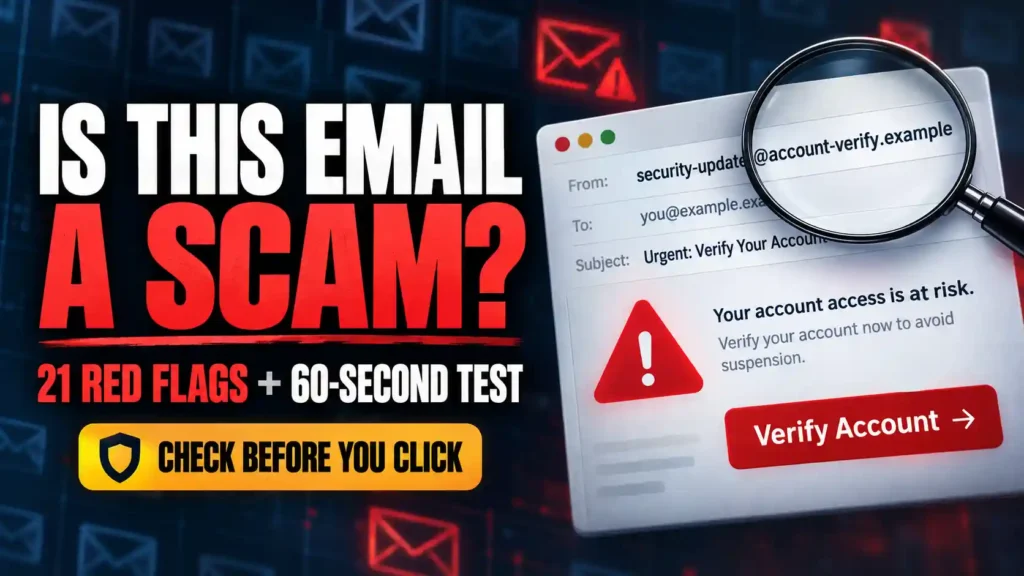
Pingback: How to Tell If an Email Is From a Scammer: 21 Red Flags and a 60-Second Test - SafeGuard Press
Pingback: Is It Safe to Give Card Details for a Refund? What to Share and What to Refuse - SafeGuard Press
Pingback: Telegram Scammer List: Check a Suspicious Username, Group or Channel Before You Pay - SafeGuard Press
Pingback: Vinted Buyer Says Item Not as Described: What to Do - SafeGuard Press
Pingback: Does eBay Refund Scams? What Buyers Should Do After a Suspicious Purchase - SafeGuard Press
Pingback: How to Not Get Scammed on Vinted as a Seller: Before You Ship - SafeGuard Press