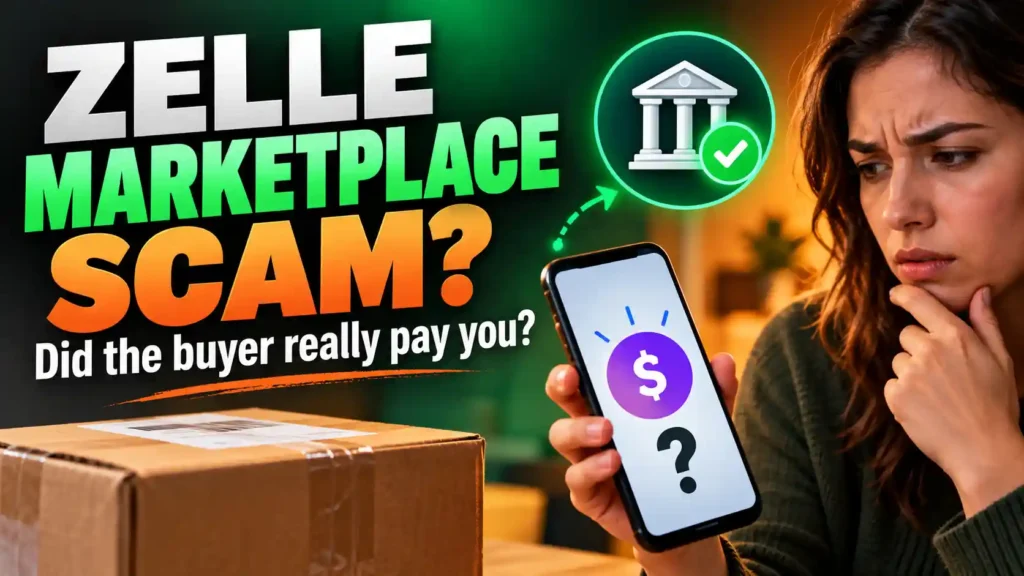
If a Marketplace buyer says they paid through Zelle but you only see an email or screenshot, keep your item. Open your own banking app and check the payment there. Do not pay an “upgrade” fee, send a refund or arrange pickup to make the payment appear.
Imagine you are selling a sofa for $250. A buyer agrees to the price without seeing it. They ask for the email address connected to your Zelle account. Minutes later, they send a payment screenshot.
Your bank account shows no $250 payment.
Then an email says the buyer sent $550, but your account must be upgraded before you can receive it. The buyer asks you to return the “extra” $300. Their driver will collect the sofa as soon as you do.
That is the trap: you are being asked to send real money and release a real sofa while the buyer’s payment exists only in messages you have not verified.
This guide shows you how Zelle FB Marketplace scams work, how to check a claimed payment and what to do if you already sent money or handed over your item.
Zelle Buyer Says They Paid: What Should You Do First?
Do these checks before replying to the buyer’s latest message.
- Open your banking app yourself. Use the app you normally use for Zelle. Do not sign in through a link in the buyer’s chat or an unexpected email.
- Check your payment activity and the account where you expect the money. Look for the agreed amount and identify the transaction.
- Keep the item if you cannot confirm receipt. A screenshot, email or buyer’s statement is not proof that you received payment.
- Do not send money to receive money. Pause if the buyer or an email introduces an upgrade fee, extra payment or refund.
- Ask your bank if the status is unclear. Contact it through its official app, website or the number on your card.
You can tell the buyer:
“I’ll arrange collection once I can confirm the agreed payment through my bank.”
You do not need to decide whether the buyer is lying. You only need to know whether you can verify that you have been paid.
How a Fake Zelle Marketplace Payment Plays Out
The messages may arrive in a different order, but the pressure usually builds around the same gap: what the buyer claims to have sent versus what the seller can confirm receiving.
Here is an illustrative $250 sofa sale.
| What you see | What the buyer wants you to believe | What you should check |
|---|---|---|
| The buyer agrees to pay $250 | The sale is nearly complete. | Has the buyer agreed to the actual item, price and pickup terms? |
| They send a screenshot marked “paid” | The money has reached you. | Is the $250 transaction visible in your own bank account? |
| An email says $550 is pending | The buyer sent extra money to solve a payment problem. | Does your bank confirm any payment or account issue? |
| The buyer requests a $300 refund | You owe them the difference. | Ask your bank how to handle any real unexpected payment. Do not send a separate transfer on the buyer’s instructions. |
| A driver is “five minutes away” | You must act before you can check. | Keep the sofa until the payment and pickup arrangement are clear. |
The screenshot and email may include your correct name, item and sale price. The buyer already knows those details from your conversation. Their presence does not make the payment real.
The Fake Payment Screenshot
A buyer sends an image showing that a Zelle transfer was successful. They may follow it with:
“It’s done. My brother is coming now.”
Open your own banking app. If you do not see the agreed payment, tell the buyer you cannot release the item. Do not assume that an image on their phone describes what happened in your account.
A screenshot can be edited or fabricated. A fake payment notification can also be sent by email. Both tactics depend on the seller shipping or handing over the item before checking receipt. consumer.ftc.gov
Decision: No payment you can confirm means no handover. If the buyer says their transfer has a problem, they should contact their own bank.
The Fake “Business Account Upgrade” Email
The upgrade scam tries to turn the seller into the person making a payment.
The email may claim:
- Your account cannot receive money from a business account.
- The payment is on hold until you upgrade.
- The buyer must send more than the item price.
- You must refund the extra amount to complete the process.
- A fee is refundable once the original payment clears.
The explanation may sound technical. Its practical demand is simple: send money now to receive money later.
Do not pay through the email, send a refund or click its upgrade button. Check your bank account directly. If you genuinely do not understand an account notice, contact the bank through details you find independently.
A fake marketplace email claiming that a Zelle payment requires an upgrade is a documented scam. www.zellepay.com
What if the buyer offers to cover the upgrade?
That does not make the arrangement safe. In the sofa example, the buyer says they sent $550 for a $250 item and asks for $300 back. If your own account shows no $550 payment, you would be sending your $300 to the buyer.
Keep the numbers separate:
- Agreed sale price: $250
- Buyer’s claimed transfer: $550
- Payment you can confirm receiving: $0
- Refund the buyer wants you to send: $300
There is no confirmed overpayment to refund. Do not let the word “refundable” make an outgoing transfer feel harmless.
The Overpayment Scam When Money Appears in Your Account
Not every overpayment claim is only a screenshot. Suppose you see an unexpected amount in your account and the buyer asks you to send the difference to another phone number.
Do not immediately make a new Zelle transfer. Contact your bank and explain:
- The agreed item price
- The amount that appears in your account
- Who the buyer says sent it
- Where they want the refund sent
- Whether the payment details match the buyer’s story
Ask the bank how to handle it. That keeps you from treating a buyer-selected destination as the correct place for money to go. It also gives you a chance to understand any issue with the original transaction before you authorise another one.
You can reply:
“I’m asking my bank how to handle the unexpected payment. I won’t send a separate refund until I have checked it with them.”
A genuine mistake does not require you to follow a stranger’s refund instructions within minutes.
What Does “Zelle Payment Pending” Mean for a Seller?
It means you need to establish the payment’s actual status. It does not mean you must ship the item, pay a fee or provide tracking information to release the funds.
The buyer may see a status in their banking app. You need to check your account. If the details do not agree, each person should contact their own bank. A sender’s screenshot is not a recipient-side confirmation.
There are circumstances in which a sender can see a pending Zelle payment, including an issue with the recipient’s enrollment. The sender can check the status in their payment activity. As the seller, you should keep the item while the matter is being resolved. www.zellepay.com
Do not accept a new story that payment will arrive only after you hand the item to a courier. That changes the order of the sale in the buyer’s favour while leaving you with no confirmed payment.
How to Check a Suspicious Zelle Email Without Clicking It
The safest first check happens outside the email: open your own bank account.
After that, you can examine the message for warning signs:
- It asks you to pay an upgrade or processing fee.
- It tells you to refund money before you can receive your sale proceeds.
- Its button leads to a page asking for your banking password.
- It claims a courier or buyer is waiting and you must act now.
- Your own payment activity does not match its claim.
Do not rely on spelling as your main test. A fake email can be well written and include convincing branding. The visible sender name can also differ from the underlying address.
If you already clicked and entered a password, stop investigating the email and secure your bank account through the bank’s genuine app or support channel.
Can a Buyer Pay With Zelle Using Your Phone Number or Email?
A buyer may ask for the email address or U.S. mobile number you use to receive Zelle payments. Sharing that payment identifier is different from sharing a banking password or verification code. www.zellepay.com
The risk is what happens after you share it. A fake buyer can use your email address to send a convincing payment notification or use your phone number to contact you outside Marketplace.
Your boundaries should be clear:
- Do not give the buyer your banking password.
- Do not read them a security code.
- Do not approve a login or payment request they tell you to approve.
- Do not use their link to check whether you have been paid.
- Confirm receipt in your own banking service.
If a buyer asks for your phone number and then a code, Can a Scammer Access My Bank Account With My Phone Number? explains why knowing the number and obtaining account access are different situations.
Should Buyers Use Zelle for a Marketplace Purchase?
The seller-focused checks above do not make Zelle a protected checkout method for a buyer.
If you are buying from a stranger, ask what recourse you would have if the item never arrives or is different from the listing. Do that before sending money. Zelle says it does not provide a purchase protection program for an authorised payment when the item is not received or is not as described. www.zellepay.com
That does not mean every Marketplace sale paid through Zelle is fraudulent. It means the buyer should understand the payment risk, and the seller should verify receipt. A person-to-person payment should never be described as automatically protected just because the conversation began on Marketplace.
For the broader buying and selling warning signs beyond this payment method, see Online Scams: Common Types, How to Spot Them, and What to Do Next.
What to Say to a Buyer Who Pressures You to Release the Item
You do not need to argue about screenshots, email addresses or whether the buyer is trustworthy.
If no payment appears:
“I can’t confirm receipt in my bank account. I’ll hold the item while you check the payment with your bank.”
If an upgrade email arrives:
“I don’t pay fees to receive a buyer’s payment. I’m checking this directly with my bank.”
If the buyer says they overpaid:
“I won’t send a separate refund on request. I’ll ask my bank how to handle any payment that actually arrived.”
If their driver is waiting:
“The item can be collected after I confirm the agreed payment. Please don’t send anyone before then.”
A genuine buyer may decide to find another item. You are still allowed to keep yours until the payment is clear.
What to Do If You Already Lost Money or an Item
Move quickly, but take the steps that fit what happened. Sending an upgrade fee requires a different response from receiving a fake email you never acted on.
You sent an upgrade fee or “refunded” the buyer
Contact your bank immediately through its official app, website or number. Explain that you authorised a transfer after being deceived by a claimed Marketplace payment. Provide the transaction amount, time, recipient details and the messages that led to it.
Ask the bank what reporting, investigation or recovery options apply. Do not describe the payment as unauthorised if you made it yourself; explain the deception accurately. A scam-induced payment and a payment someone made from your account without permission are different situations for a bank to investigate. www.zellepay.com
Stop sending further money, even if the buyer says a final transfer will release everything.
You handed over the item and no payment arrived
Save the listing, buyer’s profile, messages, screenshot and pickup details. Check your bank account and speak to the bank if the payment claim remains unclear.
Report the buyer’s Marketplace account and conversation. If someone collected the item through deception, consider reporting the incident to the appropriate local authority, bringing the records you saved.
You shipped the item
Contact the carrier immediately if the package is still in transit. Ask whether it can be held or redirected. What the carrier can do depends on the shipping service and the package’s current status.
Save the tracking details and label along with the buyer’s messages. Check the payment with your bank and report the Marketplace account.
You entered banking details through the email
Contact your bank promptly and explain exactly what you entered or approved. Use its genuine app or website—not the email link—to change an exposed password. Change that password anywhere else you reused it.
Ask the bank to help review account activity and secure access. If you shared a verification code or approved a request you did not initiate, say so plainly.
For a fuller checklist after an account or payment has been exposed, read Been Scammed? Do These 5 Things in the Next Hour.
You received the email but did not click, pay or release the item
Check your account directly. Save the suspicious messages and report the account where appropriate. You do not owe the buyer more time to create another payment story.
What Evidence Should You Save?
Keep a simple record that shows the difference between the agreed sale and the buyer’s later claims:
- The original listing and agreed price
- The buyer’s profile link
- The Marketplace conversation
- The payment screenshot or email
- The full email address that sent the message
- Any links or upgrade instructions
- Your outgoing payment receipt, if you sent money
- Pickup or shipping details, if the item left you
- Dates and times of the important events
This record will help you explain the situation to your bank and report the Marketplace account. You do not need to keep negotiating with the buyer to gather a confession.
Frequently Asked Questions About Zelle FB Marketplace Scams
The buyer sent a Zelle screenshot. Can I hand over the item?
Check the agreed payment in your own bank account first. A screenshot alone does not confirm that you received it.
Why did I get an email saying my Zelle payment is on hold?
The email could be fraudulent. Do not use its links or pay a fee. Open your banking app directly and ask your bank about any claim you cannot verify.
Do I need to upgrade to a business account to receive this Marketplace payment?
Do not send money because a buyer or unexpected email says you must upgrade. Check the account and any genuine requirements with your bank directly.
What if the buyer says they sent extra money to help me upgrade?
Do not refund the claimed extra amount based on their message. Check what actually arrived and speak with your bank before handling an apparent overpayment.
What if I see a payment but the buyer wants a refund to a different number?
Pause. Tell your bank what appeared and where the buyer wants money sent. Ask how to handle the transaction before making a separate transfer.
Can a Zelle payment show as pending?
A sender may see a pending status in some circumstances. That is not a reason for the seller to pay a fee or release an item. Each person should verify the status through their own bank.
Will Zelle protect me if I buy an item that never arrives?
Do not assume so. Check the current terms before sending an authorised payment to a stranger. Zelle says its purchase protection program does not cover authorised payments for items that are not received or are not as described.
Is sharing my Zelle email address or phone number dangerous?
A payment identifier alone is not your password. But someone can use it to target you with a fake notification. Never give the buyer a code or follow their link to check payment.
I sent the buyer a refund and now think it was a scam. What first?
Contact your bank immediately. State that you made the transfer because the buyer deceived you about a Marketplace payment. Give the bank the transaction details and save the messages.
The buyer’s driver is outside. Should I give them the item while payment processes?
Keep the item until you can confirm the agreed payment. The driver’s arrival does not prove the buyer paid you.
One Check Can Save the Whole Sale
The strongest part of a fake Zelle Marketplace payment is often its timing. The buyer has agreed to your price. Their screenshot looks convincing. An email gives you a reason the money is missing. Then a driver, refund request or deadline forces a quick decision.
Break that sequence.
Open your own bank account. Check the agreed payment. If you cannot confirm it, keep the item and do not send money. The buyer can resolve a payment problem with their bank. You do not have to risk your money and property while they do.