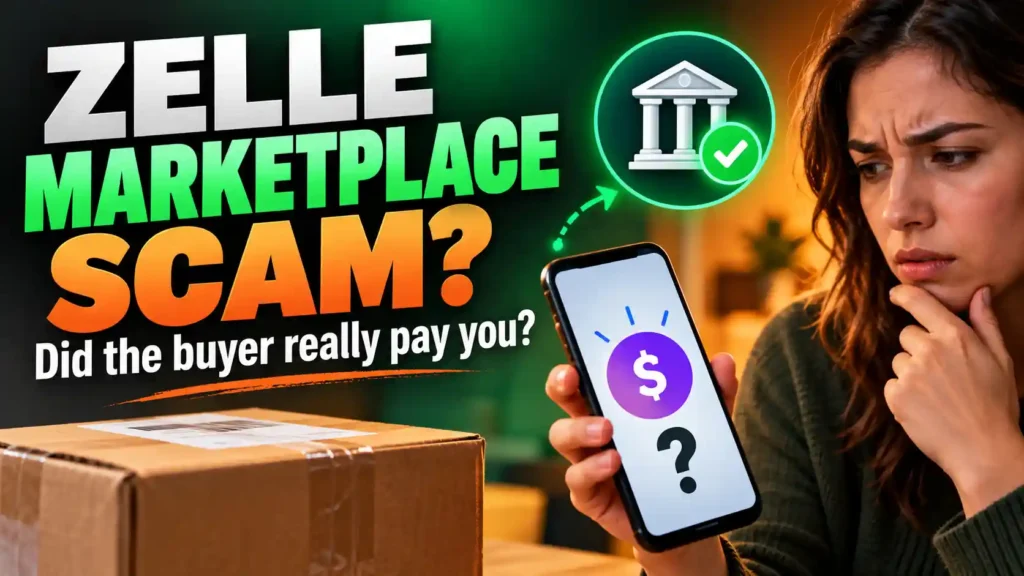
You have barely finished posting an item when a buyer messages you.
“Is this still available?”
You say yes. They agree to the price, ask when they can collect it and then request your phone number. A moment later, you receive a six-digit code.
“Send me the code,” they say. “It proves you’re a real seller.”
Do not send it. A buyer does not need a verification code from your phone to buy your item.
An FB Marketplace buyer asking for your phone number is not automatically a scammer. People sometimes exchange numbers to coordinate a genuine pickup. The danger is what happens next: a request for a code, a link to “confirm” payment or pressure to move the entire conversation away from Marketplace.
If you have already shared your number—or the code—start with the table below. Your next step depends on exactly what you gave the person.
What Should You Do Right Now?
| What happened | What to do first |
|---|---|
| The buyer asked for your number, but you have not shared it. | Keep chatting in Marketplace if you prefer. You do not need to give your number to prove you are real. |
| You shared your number but nothing else. | Do not panic. Watch for follow-up calls, links or unexpected codes. |
| A code arrived, but you did not share it. | Read which service sent it. Do not forward the code or a screenshot of it. |
| You gave the buyer a Google Voice code. | Use the official number-disconnection process explained below. |
| You gave a Facebook, email or other account code. | Open that service directly, review account activity and use its official recovery process if necessary. |
| You gave a bank code or approved a banking request. | Contact your bank immediately through its official app or number. |
| You entered a password or card details on a link. | Secure the affected account or contact the card issuer immediately. |
The important distinction is number versus code. Knowing your phone number gives a stranger a way to contact you. A verification code may let them complete a particular action with the service that sent it.
Is It Safe to Give an FB Marketplace Buyer Your Phone Number?
You can choose to share a number when there is a practical reason, such as coordinating collection of a large item. You can also refuse and keep the details in Marketplace messages.
Your phone number alone does not normally give a buyer access to your bank, Facebook account or text messages. Still, it can become the first step in another attempt. The person may use it to send you a suspicious link, trigger a verification code or call while pretending to represent a payment service.
Before sharing it, ask yourself:
- Have we discussed the actual item, price and pickup plan?
- Is a phone call necessary, or can we arrange this in Marketplace?
- Is the person asking for my number before answering basic questions?
- Do they become pushy when I say I prefer to stay in the chat?
None of those questions proves whether the buyer is genuine. They help you decide how much access to give a stranger before a sale is arranged.
If you are worried specifically about your finances, Can a Scammer Access My Bank Account With My Phone Number? explains what a number alone can and cannot do.
Why Would a Fake Buyer Want Your Phone Number?
A fake buyer may use your number in several ways. The most important one to recognise is the verification code trick.
They may say:
“I’ve been scammed before. I need to confirm you’re a real person.”
That sounds like a reasonable concern. But instead of checking the item or meeting you, they ask for your number. They start a verification process with another service, which sends a code to your phone. Then they ask you to read it back.
A known version uses Google Voice. The code can help someone try to create a Voice number linked to your mobile number. They may use that new number when contacting other people. This does not mean they automatically took ownership of your mobile service or gained access to your bank account. It means you need to respond to the particular code you shared. support.google.com
Other requests can be different. A code from your email provider, Facebook or bank may relate to signing in, resetting access or approving an action. Always read the original text to identify the service and purpose. Do not let the Marketplace buyer tell you what the code “really” means.
The Exact Point Where a Normal Request Becomes Dangerous
A buyer requesting your number is a decision you can make based on the sale. A buyer requesting a security code sent to that number is asking you to cross a different boundary.
Look at these examples.
| Buyer’s message | What to consider |
|---|---|
| “Can I call when I’m near your street?” | This may be an ordinary pickup request. You can still choose to keep chatting in Marketplace. |
| “Text me so we can agree on a time.” | You may do that if comfortable, but keep important sale details recorded. |
| “I sent you a code. Read it to me.” | Stop. The code is for an action with the service that sent it. |
| “Send a screenshot of the text if you can’t copy the code.” | Stop. A screenshot can reveal the same code. |
| “Your payment is pending. Verify your number at this link.” | Open your own payment account instead of the link. |
| “If you won’t send the code, I’ll report you.” | Do not let a threat make you share account information. |
The buyer’s story can change halfway through. They may start by discussing the item and only introduce “verification” once you believe the purchase is about to happen.
Slow the conversation down at that point. Ask what the code is supposed to accomplish. Then look at the text message itself. If the service sent the code to you, the Marketplace buyer has no reason to receive it.
What Can Someone Do With Your Phone Number Alone?
A stranger who knows your number can call or text you. They might send a link or use details from your Marketplace listing to make a later message sound familiar. They might also try to start an account process that sends you a verification code.
Those possibilities are worth watching for. They are not proof that anything else has happened.
For example, if you gave someone your number, kept receiving calls and texts normally, shared no code and entered no password, you do not have evidence from the number request alone that they accessed an account.
The risk changes if you took another step:
- You shared a verification code: Identify the service that sent it and check what action it authorised.
- You entered a password: Secure that account and any other account using the same password.
- You approved a banking request: Contact your bank promptly.
- Your phone unexpectedly lost service: Contact your mobile provider and any affected financial service promptly.
Respond to the event you can identify. Guessing that every account is compromised can distract you from the one that needs attention.
Does the Buyer Need Your Number to Pay You?
A payment method may use a phone number or email address to identify a recipient. That does not mean every buyer who asks for a number is dishonest. It also does not mean you should follow whatever instructions the buyer sends next.
If the buyer claims to have paid:
- Open your own bank or payment app as you normally would.
- Check the account where you expect to receive the money.
- Examine the transaction and its status.
- Contact the provider through its official channel if anything is unclear.
- Keep the item until you can confirm the agreed payment.
Do not hand over an item because the buyer sent a screenshot or says a code will “release” the funds. A buyer’s message cannot confirm what is in your account.
What to Say When a Buyer Asks for Your Number or Code
You do not need a long explanation. Choose the response that fits.
If you want to keep chatting in Marketplace:
“We can arrange the pickup here. What time works for you?”
If you are willing to share a number for pickup:
“You can call when you arrive. I won’t share verification codes or use payment links sent in messages.”
If they ask for a code:
“I don’t share security codes. You can inspect the item when we meet.”
If they say payment is pending:
“I’ll arrange collection after I confirm the payment in my own account.”
If they stop replying, that is useful information. If they become angry or threatening, save the messages, stop the conversation and use the available reporting options.
For additional clues about the profile and behaviour—not just the phone-number request—see Signs of a Scammer on Facebook.
What If You Already Gave the Buyer Your Phone Number?
First, establish whether anything happened after you shared it.
Did you receive an unexpected code? Did you give it to them? Did they send a link? Did you enter anything? Are you still receiving normal phone service?
If you gave only the number
You do not need to treat the number alone as proof of account access. Keep any unexpected codes to yourself. Be cautious if someone later calls claiming to know about the item, your payment or a problem with your account.
You can tell the buyer you prefer to continue in Marketplace. You can also end the sale. Sharing your number does not obligate you to keep dealing with them.
If a code arrived and you did not share it
Read the full text. Identify the service that sent it and whether the message describes an action you initiated.
Do not send the code or a screenshot. If you did not initiate the request, go to the service’s genuine app or website yourself to review your account when appropriate. The buyer does not get the code merely because they know that it arrived.
If you clicked a link but entered nothing
Close the page. Do not return to it to “finish verification.” If a file downloaded, do not open it. Check the relevant account through its real app or website if the page claimed there was an account problem.
A click alone does not establish that an account was taken over. What you entered, approved or installed determines the next step.
What If You Shared a Google Voice Verification Code?
This needs a concrete response. The issue is that your mobile number may have been linked to a Google Voice account you do not control.
To check and disconnect the link:
- Save the original text so you know which service sent the code.
- Open the official Google Voice number-disconnection page yourself. Type the address if you prefer:
voice.google.com/regain. - Sign in to a Google account you control and follow the instructions to check or disconnect your mobile number.
- Keep any new verification code private and enter it only on the genuine page you opened yourself.
- Review your Google account for unfamiliar activity if you also shared a password or notice other signs of access.
The disconnection process addresses a mobile number linked to Voice without your consent. It is different from recovering a Google Voice number that was previously yours and removed from your account. If the page does not show a link to remove, do not assume the Marketplace buyer controls your number; follow the page’s guidance for the result you see. support.google.com
Then save the Marketplace conversation and report the suspicious account. Do not pay someone who contacts you offering to “unlock” or recover your number.
What If You Shared a Different Verification Code?
Do not use the Google Voice steps automatically. The original text tells you which service needs your attention.
A Facebook or email account code
Open the genuine account yourself. Review recent sign-ins, recovery details and messages or changes you did not make. Change your password if you shared it, entered it on a suspicious page or find signs of unauthorised access.
If you cannot get into the account, use its official account recovery process. Do not follow a recovery link supplied by the Marketplace contact.
A bank code or payment approval
Contact the bank or payment service immediately through its official app, website or the number on your card. Explain exactly what the message said and what you shared or approved. Ask the provider to check for account changes or transactions and tell you which protective steps apply.
A code from a service you do not recognise
Do not guess that it was harmless. Preserve the text and identify the service from the sender and wording. Go to its official help pages yourself. If the code was for an account you do not use, you can still report the unexpected request to that service.
If you also entered card details or a password, follow the appropriate steps in Been Scammed? Do These 5 Things in the Next Hour.
How to Report the Buyer Without Losing Useful Evidence
If the buyer requested your code, sent a suspicious link or threatened you, preserve what you can before blocking them:
- The listing address
- Their profile link
- Messages asking for your number or code
- Any link they sent
- The verification text, with the code hidden in any screenshot you share with others
- Relevant payment claims
Use the reporting option on the conversation and profile where available. You can block the account after saving the details. If you shared a bank code, password or card information, reporting the Marketplace account is not a substitute for contacting the affected provider.
Do not continue chatting in hopes that the buyer will admit what they intended to do. Your time is better spent securing the account or number involved.
How to Sell Without Giving a Stranger a Security Code
A genuine buyer can assess the item through normal sale steps. Answer questions about its condition. Agree on a price and a meeting arrangement. Let them inspect it where practical. Confirm payment in your own account before handing it over.
You can keep important details—price, condition, what is included and pickup time—in the Marketplace conversation. If you decide to use a phone call to coordinate the final meeting, that choice does not give the buyer a right to a code sent to your phone.
Make this your standing rule:
“I can discuss the item and arrange collection. I do not share verification codes.”
That sentence protects the sale without requiring you to judge a stranger’s character from their profile picture.
Frequently Asked Questions
These answers cover common questions about suspicious FB Marketplace buyers and what to check before you respond.
Is an FB Marketplace buyer asking for my phone number a scam?
Not necessarily. Some buyers want to coordinate a genuine pickup. Be cautious if they immediately demand a verification code, send a payment link or refuse to discuss the item in Marketplace.
Can a buyer hack me with my phone number alone?
Knowing your number alone does not normally give them access to your accounts. The risk rises if you share a security code or password, approve a request, or lose control of the number that receives your texts.
Why did I receive a code after giving someone my number?
Someone may have started a verification, sign-in or number-linking process with a service. Read the entire message to see which service sent it. Do not give the code to the Marketplace contact.
Can I send a screenshot of the code instead of typing it?
No. A screenshot can reveal the code just as clearly as typing the digits.
The buyer says the code is only to prove I am real. Is that true?
A code sent by a service is used for an action with that service. It does not prove to a buyer that you own or will deliver the item. Keep it private.
I gave my number but no code. Should I change all my passwords?
The number alone does not automatically require that. Change a password if you shared it, entered it on a suspicious page or see signs that the account was accessed.
I gave a Google Voice code. Does the person now own my mobile number?
Do not assume that. The concern is that they may have linked your mobile number to a Voice account. Use the official number-disconnection process to check and address that specific issue.
Should I give the buyer my number to receive payment?
Some payment services identify a recipient by phone number or email. If you choose to use one, follow its process in your own app. Never give a buyer a security code or rely on their link to confirm that payment arrived.
What if the buyer already knows my address too?
Think about what you actually shared and whether the person has threatened you. Stop providing more details. If you fear someone may come to your home or harm you, prioritise your safety and seek local help.
Should I block a buyer who asks for a code?
Save the relevant messages, report the account where appropriate and block it. You do not need to finish the sale or explain your decision.
The Answer to Keep in Mind
An FB Marketplace buyer can ask for a phone number for an ordinary reason. They do not need a verification code sent to that number to purchase your item.
If you shared only the number, watch what happens next. If you received a code, keep it private. If you already shared it, identify the service named in the original text and secure that specific account or number. You can still stop the interaction and take the right next step.