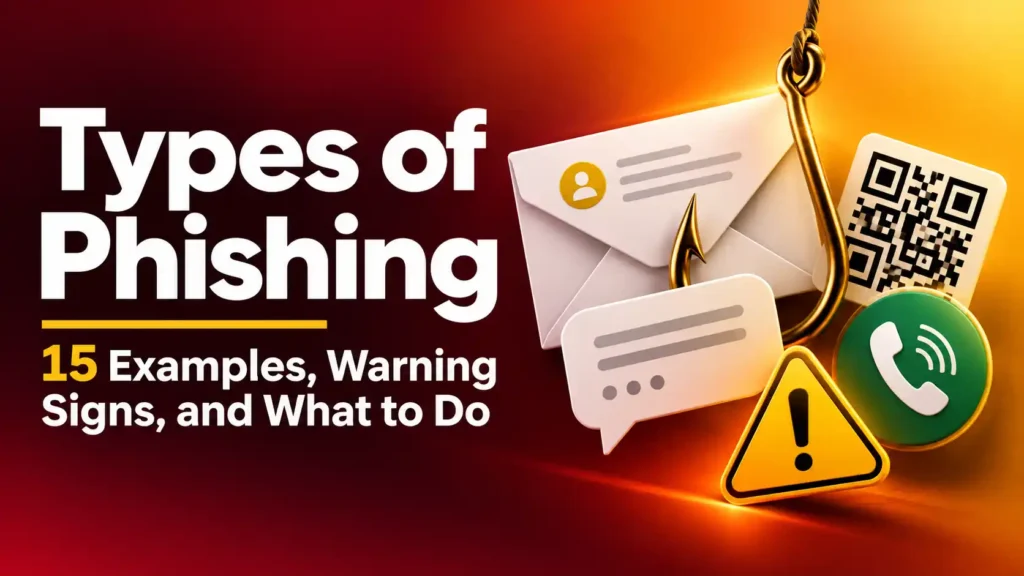
The message arrives while you are busy. Your bank has supposedly blocked a payment. A delivery company needs you to correct your address. Your manager wants you to review a document before a meeting.
For a moment, the request feels ordinary. Then you notice the deadline: act now, or something bad will happen.
That feeling is exactly what the sender wants. Phishing works by borrowing the identity of someone you trust and pushing you toward an action that benefits the attacker. The action might be entering a password, sharing a security code, calling a fake support number, opening a file, or sending money.
And it does not always arrive by email.
The different types of phishing can appear in text messages, phone calls, social media chats, QR codes, search results, and even conversations with someone you know. Learning their names helps, but recognizing what each attempt asks you to do is far more useful.
This guide shows you 15 common phishing types, what they can look like, and how to check a suspicious request without relying on the message itself.
What Is Phishing?
Phishing is an attempt to trick you into giving up information, account access, or money by pretending to be a trustworthy person or organization.
A typical attempt has three parts:
- A believable identity: a bank, delivery company, employer, friend, government office, or familiar brand.
- A reason to react: a problem, warning, reward, document, or urgent request.
- An action: click, scan, call, download, sign in, reveal a code, or pay.
Not every unexpected message is phishing. And a polished message is not proof of safety. The question is whether you can verify the request through a channel you found independently.
Before looking at the individual examples, keep one distinction in mind: some phishing names describe where the attack reaches you, while others describe who it targets or how it is disguised. One message can fit more than one category. A text aimed at a particular employee, for instance, can be both smishing and spear phishing.
Types of Phishing You May Encounter in Messages and Calls
These are the forms most people are likely to recognize first. The delivery method changes, but the pressure to trust an unverified request stays remarkably similar.
1. Email phishing
Email phishing uses a deceptive email to impersonate a person or organization. The message may include a link to a fake sign-in page, an attachment, a phone number, or a request for sensitive details.
Example: “Your bank account has been restricted. Confirm your identity within 30 minutes.”
The email may display the bank’s name and logo. Neither proves the bank sent it. Check the full sender address, then open your banking app or type the bank’s known website address yourself.
If you are examining a message already in your inbox, use the more detailed checklist in How to Tell If an Email Is From a Scammer. This article focuses on the wider family of phishing attacks.
2. Smishing: phishing by text message
Smishing is phishing delivered through SMS or another text-based message. Short messages leave little room for detail, which can make a simple instruction feel urgent.
Example: “Your parcel cannot be delivered. Update your address here to avoid a return fee.”
The link might lead to a page requesting your address and card details. Instead of using it, check the order and tracking number in the retailer’s account or the carrier’s official app.
A real delivery issue is possible. The text alone does not establish that the issue is real. For a fuller checking process, link readers to How to Tell If a Text Message Is From a Scammer.
3. Vishing: phishing by voice call
Vishing uses a phone conversation to obtain information or make you take an unsafe action. A caller may claim to work for your bank, a government office, a technology company, or your employer.
Example: “I’m calling from the fraud department. Read me the code we just sent so I can stop this transfer.”
The caller may know your name and may sound calm and professional. That does not confirm their identity. Hang up and call the organization using a number on your bank card, statement, or official website.
The crucial clue is often the requested action. Someone trying to “protect” your account should not need you to hand over a sign-in code sent to you.
4. Social media and messaging app phishing
A phishing message may arrive as a direct message on Facebook, Instagram, WhatsApp, Telegram, LinkedIn, or another platform. It could come from an unfamiliar account—or from a familiar account that has been taken over.
Example: A friend sends, “Is this you in the video?” followed by a link requiring you to sign in.
Even if the profile photo and conversation history look right, contact the friend another way before opening the link. A compromised account can make a fraudulent message appear far more personal than a mass email.
The same caution applies to unexpected job offers, prize claims, account warnings, and requests to move a conversation to another app.
5. QR code phishing
QR code phishing, sometimes called quishing, uses a QR code to direct you to a fraudulent site. The code may appear in an email, on a poster, in a document, or on a sticker placed over a legitimate code.
Example: A parking sign tells you to scan a code and pay immediately. The page looks like the parking provider’s site but collects your payment details for someone else.
A QR code hides its destination until you scan it. Before entering information, inspect the address your phone displays. For important payments, use the provider’s official app or a web address you found independently.
Do not assume a printed code is trustworthy simply because it appears in a public place.
Types of Phishing That Target a Particular Person or Relationship
Some attackers send the same story to thousands of people. Others research one person, workplace, or ongoing conversation. The more closely a message fits your life, the easier it can be to overlook an unusual request.
6. Spear phishing
Spear phishing targets a specific person or group. The attacker may use publicly available details, workplace information, or facts obtained from a compromised account to make the approach convincing.
Example: You receive an email referring to a real project, your manager’s name, and a meeting scheduled that afternoon. It asks you to open a “revised agenda” and sign in.
Personal details make the message relevant; they do not authenticate it. Confirm unexpected files or sign-in requests through a contact method you already use with the sender.
7. Whaling
Whaling is spear phishing aimed at a senior executive or another person with significant authority or access. The message may concern confidential documents, legal matters, payroll, or a major payment.
Example: A company director receives what appears to be a private request from an attorney to review an acquisition document.
The danger reaches beyond the executive. Someone who gains access to a senior leader’s account may use it to make later requests appear credible to employees. Sensitive requests still need normal verification, regardless of the recipient’s title.
8. Executive impersonation and payment phishing
Here, the attacker pretends to be a manager or executive and asks an employee to bypass an ordinary payment or approval process. The approach may arrive by email, message, phone call, or video call.
Example: “I’m tied up in meetings. Pay this supplier now, and keep it confidential.”
An urgent tone, familiar name, or convincing voice cannot replace confirmation. Call the executive using the number in your company directory and follow the usual payment approvals.
This deserves its own warning because the attacker may seek a transfer rather than a password. Readers dealing with that situation can go deeper with What Is CEO Fraud?
9. Conversation hijacking
A phishing attempt can appear inside a real conversation after an attacker gains access to one participant’s account. This is especially dangerous when you are already expecting an invoice, file, or update.
Example: A supplier you have emailed for months sends a revised invoice with new bank details. The message appears in the existing thread.
The thread is real; the new instruction may not be. Verify changed payment details using a number already in your records. Do not use a new number supplied in the email announcing the change.
Types of Phishing That Disguise a Link, Page, or Network
Other attacks focus on where you end up. You may start with a convincing message, a search result, or a familiar-looking page. The deception happens when you trust that destination enough to enter private information.
10. Clone phishing
In clone phishing, an attacker copies the look or wording of a legitimate message and changes a link, attachment, or instruction.
Example: You previously received a genuine shared-document email. A second email says the file has been updated and asks you to sign in again.
Because the format looks familiar, you may skim past the changed destination. Open the service directly and look for the document inside your account. If a colleague supposedly shared it, confirm with that colleague through your usual channel.
11. Fake website and login-page phishing
A fraudulent website may imitate the sign-in page for your bank, email provider, workplace, or shopping account. It might be reached through an email, text, QR code, or search result.
Example: A page displays the correct logo and asks for your password and a one-time security code. Its web address differs from the real service by a letter or an added word.
A convincing design and a padlock symbol do not prove that a website belongs to the organization it resembles. Read the actual web address carefully. When possible, leave the page and open the official app or a saved bookmark.
If you entered details already, go directly to the real service to secure your account. Do not return to the suspicious page to “undo” the action.
12. Search result phishing
Sometimes the first contact is not a message at all. A fraudulent page or advertisement can appear when you search for a company’s login, customer support number, software download, or payment portal.
Example: You search for your bank’s support number and call the number shown in a result that looks official. The person answering asks you to install a remote access app.
A high position in search results is not an identity check. For sensitive accounts, use the official app, an address you already know, or a phone number printed on a trusted statement or card.
13. Pop-up and fake security alert phishing
A web page or pop-up may claim that your device is infected, your account is blocked, or a subscription has expired. It then urges you to call, click, install software, or provide payment details.
Example: A loud warning fills the browser window: “Your computer has been locked. Call support immediately.”
The warning may be part of the page you are viewing, not a diagnosis of your device. Do not call its number or grant access to your computer. Close the page if you can, then check your device through its own security settings or a trusted support provider.
14. Pharming
Pharming refers to attempts to send a person to a fraudulent website even when they intended to reach a legitimate one. It can involve interference with the way a device or network directs website traffic.
Example: You enter a familiar website address, but the page that opens asks for information in a way the real service never has.
This is less useful as a label to memorize than as a reminder: typing a familiar address is a strong habit, but stay alert to unexpected sign-in prompts and changed behavior. If something looks wrong, stop. Try the organization’s official app or a different trusted connection, and seek technical help if the problem persists.
15. Evil twin Wi-Fi phishing
An evil twin is a fraudulent Wi-Fi network made to resemble a legitimate one. It may use a familiar venue name and present a sign-in or payment page.
Example: At a café, you see two networks with nearly identical names. One asks you to enter your email password to connect.
Ask staff for the exact network name. Treat unexpected password prompts cautiously, especially if they ask for credentials belonging to a separate account. If you need to handle banking or another sensitive task, use a connection you trust.
How to Spot Phishing When the Message Looks Convincing
The examples differ, but most phishing attempts depend on getting you to accept one unverified claim. A quick pause can expose the weak point.
Ask yourself:
- Who claims to be contacting me? Can I confirm that identity outside this message or call?
- Why now? Is the deadline preventing me from checking?
- What am I being asked to do? Does it involve a password, code, payment, download, or new contact number?
- Where will this take me? Do I know the real website or account where I can check the claim?
- Has anything changed? Is someone introducing a new bank account, link, phone number, or procedure?
Do not rely on spelling mistakes as your main test. A phishing attempt may be well written and may contain accurate personal details. Likewise, one awkward sentence does not prove a genuine message is fraudulent.
The most reliable move is to step outside the contact. If your bank warns you about a transfer, check your account in the official app. If your manager wants a payment, call using your company directory. If a friend sends a strange link, speak to them another way.
What to Do If You Clicked a Phishing Link
Clicking a link and entering information are different events. Take action based on what actually happened.
If you opened a page but entered nothing
Close it. Do not download files or approve notifications from the site. If the page caused a download, treat that as a separate issue and check the file before opening it.
If you entered a password
Go to the genuine service through its official app or known address and change the password. If you reused that password elsewhere, change it on those accounts too. Review recent sign-ins, connected devices, and recovery details.
If you shared a security code
Contact the account provider immediately through its official support channel. Explain that you gave someone a code and ask what account activity or changes you need to check.
If you gave card or bank details
Contact your bank or card issuer promptly using a trusted number. Tell them exactly what you shared and follow their instructions for protecting the account and reviewing transactions.
If you downloaded a file or installed an app
Do not keep following the sender’s instructions. If someone has remote access to your device, disconnect it from the internet and get help from a trusted technical professional. Use a different trusted device for urgent account changes.
If you sent money
Contact the bank, payment service, or platform immediately and ask whether the transaction can be stopped or disputed. Save the messages, addresses, receipts, and transaction details. For a broader recovery checklist, see How to Know If You Are Scammed.
Frequently Asked Questions About Types of Phishing
What are the most common types of phishing?
Email phishing, text-message phishing, phone phishing, and fake login pages are among the forms ordinary consumers may encounter. Targeted attacks such as spear phishing also affect workplaces and individuals. The method that matters most is the one in front of you: check its request before acting.
What is the difference between phishing and spear phishing?
Phishing is the broader term. Spear phishing is tailored to a particular person or group, often using details that make the message feel relevant. A targeted message can still arrive by email, text, or another channel.
What is the difference between smishing and vishing?
Smishing reaches you through a text message. Vishing uses a voice call. Both can impersonate a trusted organization and push you to disclose information or take an unsafe action.
Can phishing happen without a link?
Yes. A caller can ask you to reveal a security code. An email can tell you to call a fake support number or send money to a new account. Judge the full request, not just whether it contains a link.
Is a message safe if it comes from someone I know?
Not necessarily. Their account could be compromised, or someone could be impersonating them. Confirm unusual links, payment requests, or files through a separate contact method.
Can a QR code be used for phishing?
Yes. A QR code can send you to a fake payment or login page. Check the destination before entering information, and use the provider’s official app when you can.
Does a padlock mean a website is legitimate?
No. A padlock indicates that your connection to the site is encrypted; it does not establish that the site belongs to the company it imitates. Check the actual web address and how you reached it.
What should I do if I am unsure whether a request is phishing?
Pause the conversation. Do not use its link, number, or reply address to verify it. Contact the supposed sender through an official app, a saved number, or another channel you already trust.
The Rule That Works Across Every Type of Phishing
You do not need to memorize 15 names before you can protect yourself.
When a message, call, code, page, or payment request surprises you, stop and verify it somewhere the sender does not control. The attacker may copy a logo, know your name, sound like a colleague, or join a real conversation. What they cannot do is make an independently checked claim true.
That small step—leaving the suspicious contact and checking through a trusted route—is useful whether the attempt is called smishing, spear phishing, quishing, or something you have never heard of.
Pingback: eBay Fake Tracking Scam: Delivered but Nothing Arrived? - SafeGuard Press
Pingback: eBay Gift Card Scams: How Fake Sellers and Payment Requests Trick Buyers - SafeGuard Press