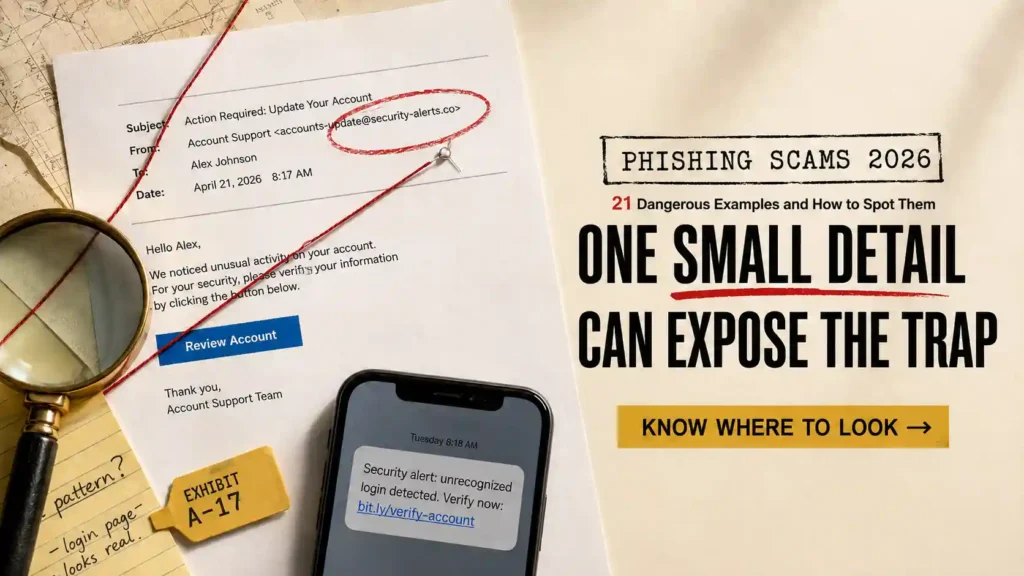
The email looks perfect.
The logo is correct. The message contains no spelling mistakes. It addresses you by name and warns that someone has just entered your bank account.
A button marked “Secure My Account” gives you five minutes to stop the transfer.
Clicking feels like the responsible choice.
But the transfer does not exist. The bank did not send the message, and the security page is designed to steal the password you enter.
Phishing scams in 2026 are no longer limited to suspicious emails from unknown senders. They can reach you through text messages, telephone calls, QR codes, calendar invitations, social-media replies and realistic login screens. Criminals can also use artificial intelligence to imitate a company’s writing style, personalise messages and clone a voice you recognise.
Some phishing attacks want your password. Others try to steal your money, identity, credit card information or control of your device.
This guide reveals 21 dangerous phishing examples you may encounter in 2026. You will learn how each attack works, what the scammer wants and how to spot the deception before you click, scan, download, pay or share sensitive information.
The message that compromises your identity may look completely normal. What it asks you to do will often reveal the truth.
What Is a Phishing Scam?
A phishing scam is a deceptive message or interaction that impersonates someone you trust.
The attacker may pose as:
- Your bank
- An employer
- A government department
- A delivery company
- A streaming service
- A technology provider
- A colleague
- A senior executive
- A customer-support representative
- A friend or relative
The message attempts to create a believable reason for you to take an unsafe action.
You may be asked to:
- Click a link
- Open an attachment
- Scan a QR code
- Enter a password
- Share a security code
- Approve a login
- Install an application
- Call a telephone number
- Send money
- Update payment information
- Grant an application access to your account
The fake message is only the bait. The real attack begins when you respond.
How Phishing Attacks Work
Most phishing attacks follow a simple sequence, even when the technology appears sophisticated.
The Scammer Chooses a Trusted Identity
The criminal selects a person or organisation you are likely to recognise.
A bank creates fear about your money. A delivery company creates curiosity about a package. An employer creates concern about your salary. A family member creates emotional urgency.
The Message Introduces a Problem or Reward
You are told that:
- Your account has been compromised
- Your package cannot be delivered
- Your password is expiring
- You are entitled to a refund
- You missed an important payment
- A document is waiting
- Your job application was successful
- You have won something
The story is designed to make you act emotionally before examining the details.
You Are Directed to an Unsafe Action
The message contains a link, attachment, QR code or telephone number.
A fake login page captures your credentials. A malicious file installs software. A telephone operator persuades you to reveal information or send money.
The Criminal Expands the Attack
After gaining access, the criminal may:
- Empty your account
- Change your password
- Steal personal documents
- Impersonate you
- Target your contacts
- Open financial accounts
- Enter your workplace systems
- Demand a ransom
- Sell your information
One stolen password can therefore become much more than a compromised account.
Why Phishing Scams Are More Dangerous in 2026
Old advice told you to look for spelling errors and awkward sentences. Those signs still matter, but they are no longer reliable enough.
Artificial intelligence allows scammers to produce clear, professional messages in seconds. It can help them imitate a company’s tone, translate messages naturally and personalise an attack using information gathered about you online.
A phishing message may mention:
- Your real name
- Your employer
- A recent purchase
- Your job title
- A colleague
- Your bank
- A genuine account
- A previous email conversation
Criminals can also copy legitimate websites with remarkable accuracy. The fake page may contain the correct logo, colours, privacy notice and customer-support information.
This means appearance alone cannot protect you.
You must examine the sender, website address, timing and requested action together.
The Difference Between Phishing, Smishing and Vishing
The delivery method changes, but the objective remains the same.
Email Phishing
The attack arrives through email. It may contain a malicious link, attachment, QR code or telephone number.
Smishing
Smishing uses text messages or messaging applications.
Common examples include fake delivery updates, toll notices, bank alerts and unpaid bills.
Vishing
Vishing uses voice calls or recorded messages.
The caller may spoof a trusted telephone number or use a cloned voice to impersonate someone you know.
Quishing
Quishing uses a QR code to hide the destination website.
The code may appear in an email, letter, parking sign, restaurant menu, package or public advertisement.
Spear Phishing
Spear phishing targets you personally using information about your work, relationships or activities.
Whaling
Whaling targets senior executives, business owners and other people with access to sensitive information or large payments.
The labels are useful, but you do not need to memorise them all. Focus on the behaviour: an unexpected request is pushing you toward a link, login, payment or disclosure.
How to Spot a Phishing Message Quickly
Before looking at the individual examples, check every suspicious message for these warning signs:
- The message was unexpected
- You are pressured to act immediately
- The sender’s address is slightly wrong
- The link does not match the organisation
- You are asked for a password or security code
- The greeting or account details are unusual
- The attachment was not expected
- The message threatens a serious consequence
- The offer appears unusually generous
- The sender refuses independent verification
- The requested action is different from the organisation’s normal process
- You must install unfamiliar software
- The message moves you to another communication channel
- You are asked to ignore a security warning
- The situation must supposedly remain secret
A phishing message does not need to contain every warning sign.
One unexpected request involving your login credentials is enough reason to stop and verify.
21 Dangerous Phishing Examples to Watch in 2026
These examples show how phishing appears during ordinary moments when you may be distracted, worried or in a hurry.
1. Fake Bank Security Alert
You receive a text or email warning that someone attempted a large purchase or transfer from your account.
The message may include:
- Your bank’s logo
- A partial account number
- A realistic transaction amount
- A familiar security message
- A button to cancel the payment
The link opens a page that looks like your bank’s login screen. When you enter your username and password, the scammer captures them.
You may then receive a genuine security code from your bank. The fake page asks you to enter it, allowing the criminal to complete the login.
Another version asks you to call a fraud telephone number. The person who answers pretends to investigate the transaction and asks for your security information.
Do not use the link or telephone number in the alert.
Open your banking application independently or call the number printed on your card. If the transaction is real, you can still resolve it through the official channel.
Never share a one-time code with an incoming caller. The code may be authorising access rather than cancelling fraud.
2. Package Delivery Phishing Scam
A message says your package cannot be delivered because the address is incomplete or a small fee remains unpaid.
The timing may feel believable because you recently placed an order.
You are directed to a page where you must enter:
- Your address
- Your name
- Your telephone number
- Your card details
- A small redelivery payment
The payment may be only $1 or $2. That small amount lowers your suspicion.
However, the real objective may be collecting your card and identity information. The criminals can later make larger purchases or use the details in another personalised scam.
Do not assume the message is genuine because you are expecting a delivery. Scammers send these messages widely and eventually reach people who have active orders.
Open the retailer or delivery company’s official application and check the tracking information there.
A genuine tracking number should work independently of the message.
3. Unpaid Toll or Parking Fine Text
You receive a text claiming you owe a small road toll, parking fee or traffic charge.
The message warns that failing to pay immediately will result in:
- A larger penalty
- Licence suspension
- Vehicle-registration problems
- Collection activity
- Legal action
A small payment feels easier than investigating the notice, especially when the deadline appears close.
The link leads to a fake payment page that collects your card details and personal information.
Before paying, visit the relevant road or parking service through an independently verified website. Search using your vehicle information or notice number if one was genuinely issued.
Do not trust the link simply because the web address contains words such as “toll,” “parking,” “secure” or the name of your location.
A convincing word inside a domain does not prove ownership.
4. Fake Tax Refund or Government Payment
An email or text announces that you are entitled to a tax refund, benefit payment, grant or financial assistance.
The message may claim that your money is waiting but your bank information must be confirmed.
You are sent to an official-looking page requesting:
- Your identification number
- Date of birth
- Address
- Bank account
- Card information
- Online account password
Another version says you owe money and face arrest or penalties unless you pay immediately.
Both stories use authority. One creates excitement about receiving money; the other creates fear about losing it.
Do not claim a payment through an unexpected link.
Enter the official website address yourself and sign in through the normal process. A genuine payment or balance should appear inside your account.
Government departments do not need your banking password to send a refund.
5. Password Expiration and Account Suspension Emails
A message claims your email, workplace or subscription password will expire today.
You must click a button to keep your account active.
The fake login page may look identical to a familiar service. It captures your email address and password, then displays an error or redirects you to the genuine website.
That final redirect makes the event look like a harmless failed login.
Be suspicious when a password-expiration message creates an unusually short deadline.
Instead of clicking, open the account through your saved application or bookmark. Check its security settings for genuine notices.
If the message concerns a workplace account, contact your technical-support team through the normal internal channel.
Do not reply to the email asking whether it is legitimate. If the sender is the attacker, you are asking the wrong person to verify their own deception.
6. Fake Multifactor Authentication Alert
You receive a message saying someone attempted to access your account.
A link supposedly allows you to review or deny the login. The page asks for your password and security code.
In another attack, repeated approval notifications appear on your phone. A caller then pretends to represent technical support and tells you to approve one so the security team can stop the attempts.
Approving the request may give the criminal access.
Never accept a login notification you did not initiate.
If repeated prompts appear:
- Deny them
- Change your password
- Review active sessions
- Remove unfamiliar devices
- Contact the service independently
Do not allow annoyance to make the decision. Repeated notifications may be deliberately designed to exhaust you until you approve one by mistake.
7. QR Code Phishing
A QR code appears in an email, letter, parking sign, restaurant menu, payment notice or package.
You are told to scan it to:
- View a document
- Hear a voicemail
- Pay for parking
- Confirm your account
- Receive a refund
- Update security
- Claim a discount
- Connect to Wi-Fi
The code hides the website address until after you scan it. This makes it harder to examine the destination beforehand.
A criminal may also place a fraudulent sticker over a genuine QR code on a public sign or payment terminal.
Before scanning, examine the code for signs of tampering. After scanning, inspect the complete web address before continuing.
Do not enter a password or payment information merely because the page opened from a physical sign. Printed materials can be manipulated too.
Use an official application or manually enter the organisation’s known website whenever possible.
If scanning a code unexpectedly leads to an application download, close the page. Do not install software from a QR-code prompt.
8. Fake Invoice and Payment Request Phishing
An email claims that you purchased a product, renewed a subscription or owe money for a service.
The invoice may appear to come from:
- A software company
- An online retailer
- A streaming platform
- A cloud-storage service
- An antivirus provider
- A payment processor
- A cryptocurrency exchange
The amount is deliberately high enough to alarm you.
A message might say that $649 will be charged unless you cancel immediately. Instead of containing a payment link, the invoice may provide a telephone number for refunds.
When you call, a supposed billing representative asks you to install remote-access software so they can cancel the transaction.
Once connected to your device, the scammer may watch you enter banking credentials, move money or manipulate what appears on your screen.
Another fake invoice contains an attachment labelled “Payment Details” or “Outstanding Balance.” Opening it may install malware or direct you to a fake login page.
Before responding, check the account through the company’s official application or website. Do not use the telephone number, attachment or link inside the invoice.
If no matching transaction exists, delete and report the message.
Remember that an invoice is only a request for payment. Professional formatting does not prove that you purchased anything.
9. Shared Document Phishing
You receive an email saying someone has shared a document, spreadsheet, electronic signature request or secure file with you.
The sender may appear to be:
- A colleague
- A client
- Your manager
- A supplier
- A legal representative
- A human-resources employee
- Someone you recently contacted
The message contains a button such as:
- “View Document”
- “Open Secure File”
- “Review and Sign”
- “Access Shared Folder”
- “Download Statement”
The link leads to a fake cloud-service login page. When you enter your email and password, the attacker captures them.
A sophisticated attack may automatically insert your email address or company logo onto the page. Personalisation makes the login screen feel genuine, but the attacker may have collected those details before sending the message.
Do not open an unexpected shared file without confirming it with the sender through another channel.
If the message claims to come from someone you know, call them or begin a new conversation using trusted contact information. Do not reply directly to the suspicious email because their account may already be compromised.
You should also examine the login page address. A genuine file-sharing page should use the service’s exact official domain, not a similar-looking variation.
10. Fake Voicemail and Missed-Call Phishing
An email says you missed an important voicemail.
The notification may include:
- The caller’s name
- The call duration
- The time received
- An audio attachment
- A button to play the recording
- A QR code to access the message
Opening the supposed audio file may install malware. The playback button could also lead to a fake workplace or email login page.
Another version leaves an actual recorded voicemail asking you to call back about a suspicious purchase, unpaid bill or legal problem.
The call-back number connects you to the scammer.
If your workplace uses a voicemail-to-email service, compare the message with notifications you have received before. Look for changes in the sender, layout, file type and wording.
Do not enter credentials to hear a message you were not expecting. Open your official telephone or voicemail application and check there.
If the caller claims to represent an organisation, find its telephone number independently.
11. Malicious Calendar Invitation Phishing
A suspicious event appears directly inside your digital calendar.
You may not remember accepting it because some email and calendar services automatically add invitations.
The event title could warn you that:
- Your subscription is expiring
- A payment has failed
- Your account was compromised
- Your storage is full
- A refund is waiting
- Your device contains a virus
- You have won a prize
The event description contains a link or telephone number for resolving the supposed problem.
Because the alert appears inside your trusted calendar application, it may feel more credible than an ordinary spam email.
Do not click the link or call the number.
Open the relevant service independently and check whether the warning appears inside your genuine account.
Remove the event without responding. Accepting, declining or replying may confirm that your address is active.
Review your calendar settings and prevent unknown invitations from being added automatically where possible.
12. Social-Media Customer Support Phishing
You post a public complaint about a delayed payment, locked account, missing order or technical problem.
A support account quickly replies and offers assistance.
The profile uses the company’s logo and a name resembling its genuine customer-service account. However, it may have been created by a scammer monitoring public complaints.
The fake representative directs you to a private message and asks for:
- Your account number
- Email address
- Telephone number
- Card information
- Login credentials
- Security code
- Cryptocurrency recovery phrase
They may also send a link to a fake support portal or refund form.
A real support agent may request limited information, but they should not need your password, card PIN or one-time security code.
Do not trust an account because it responded quickly or knows what you complained about. Your original post may contain the information the scammer repeats.
Visit the company’s official website and access customer support from there. Check the account’s complete username, history, follower quality and previous posts.
Be careful with small spelling differences. A fake account may replace one letter, insert an underscore or add words such as “help,” “care” or “support.”
13. Clone Phishing
A criminal copies a legitimate email you previously received.
The fake version may appear to come from the same person or organisation and contain identical branding, wording and formatting.
The attacker replaces the genuine link or attachment with a malicious one, then resends the message using an excuse such as:
- “Corrected attachment”
- “Resending for your review”
- “Updated payment details”
- “The previous link expired”
- “Please use this version”
- “Final document attached”
This technique is dangerous because the message looks familiar. You may remember the original conversation and assume the replacement is safe.
Pay close attention when a message unexpectedly changes:
- A payment destination
- An attachment
- A login link
- Bank account details
- A file-sharing location
- An invoice
- A telephone number
Compare the new message with the original. Examine the sender’s complete address and ask why the change was necessary.
If money, passwords or confidential documents are involved, contact the sender through a separate channel before acting.
A familiar email chain is not proof of safety. The sender’s account may have been compromised, or the conversation may have been copied.
14. Spear Phishing
Spear phishing is a targeted attack created specifically for you or a small group.
Instead of sending the same generic message to thousands of people, the criminal researches the intended recipient.
The message may mention:
- Your name
- Job title
- Employer
- Manager
- Current project
- Recent conference
- Supplier
- Client
- Family member
- Professional interest
For example, you attend an industry event and post photographs online. A few days later, you receive an email appearing to come from an organiser.
The message contains a link to download event photographs or presentation materials. Because the timing and subject are accurate, you are more likely to click.
In another spear-phishing attack, someone impersonates your manager and refers to a genuine project before requesting a document, payment or password.
Accurate information does not prove the sender is genuine. Much of it may come from social media, company websites, leaked data or a compromised email account.
To protect yourself:
- Verify unexpected requests through another channel
- Limit public information about projects and travel
- Examine the complete sender address
- Question sudden changes in normal procedures
- Refuse requests for passwords and security codes
- Confirm payment instructions verbally
- Report suspicious messages to your workplace security team
Spear phishing works by making you feel recognised. Do not confuse personalisation with authenticity.
15. Executive and Business Email Phishing
A message appears to come from a company executive, business owner or senior manager.
The sender says they are in a meeting, travelling or handling a confidential issue. They need you to complete an urgent task without involving anyone else.
You may be asked to:
- Purchase gift cards
- Approve a transfer
- Send payroll information
- Share employee tax records
- Update supplier banking details
- Release confidential documents
- Pay an unfamiliar invoice
The criminal may spoof the executive’s name or compromise their genuine email account.
The request often exploits workplace hierarchy. You may fear appearing unhelpful or questioning someone senior.
Do not allow authority to bypass payment and security procedures.
Verify the request by calling the executive through a known telephone number or speaking with them directly. Never use a new number contained in the email.
Businesses should require at least two approvals for large payments and changes to payroll or supplier information.
A genuine executive should support verification. If questioning the request supposedly ruins the opportunity, secrecy was probably part of the attack.
16. AI Voice and Vishing Scams
Your phone rings, and the caller sounds like someone you trust.
It could appear to be:
- A relative
- Your manager
- A bank employee
- A police officer
- A client
- A company executive
- A technical-support specialist
The voice may sound frightened, hurried or unusually serious.
A supposed family member says they have been arrested, injured or stranded. Your manager needs an urgent transfer. A bank investigator claims someone is emptying your account.
Voice-cloning technology can reproduce a person’s tone using short audio samples collected from videos, voice messages or social-media posts.
Do not trust the voice alone.
Ask a question only the real person would know, or request your family’s private verification phrase. Then end the call and contact the person through a telephone number you already have.
Do not use the number displayed on your screen. Caller ID can be manipulated.
Be suspicious when the caller:
- Creates an emergency
- Prevents you from hanging up
- Demands secrecy
- Refuses a callback
- Requests cryptocurrency or gift cards
- Tells you to move money
- Asks for a password or security code
- Warns you not to speak with your bank or family
A genuine emergency should survive independent verification. If the caller refuses to let you confirm the story, the urgency is probably part of the scam.
17. Fake Technical-Support Callback Phishing
An email, pop-up, invoice or text warns that your device, subscription or account has a problem.
Instead of asking you to click a login link, it provides a telephone number.
The message may claim:
- Your computer contains a virus
- Your subscription renewed for a large amount
- Your email account has been hacked
- An unauthorised purchase was approved
- Your cloud storage will be deleted
- Your banking application is unsafe
When you call, the supposed technician asks you to install remote-access software.
They may then instruct you to log into your bank so they can issue a refund. While viewing or controlling your screen, the scammer can capture your credentials, manipulate the page or transfer money.
Another version claims the company accidentally refunded too much. The technician alters what appears on your screen and pressures you to return the excess.
Do not call a support number contained in an unexpected warning.
Close the message and contact the company through its official website or application. Genuine technical-support staff should not need access to your online banking account.
If a browser pop-up refuses to close, do not call the displayed number. Force the browser to close, restart the device and run a trusted security scan.
18. Recruitment and Job Application Phishing
A recruiter contacts you about an attractive vacancy that matches your background.
The message may mention your real employer, qualifications and previous roles. Those details can come from your public professional profile or résumé database.
The recruiter sends you to an application portal where you must enter:
- Your full name
- Home address
- Date of birth
- Identification number
- Passport details
- Banking information
- Email password
- Copies of identity documents
Another attack sends a file containing the job description. Opening it may install malware.
The vacancy may be completely fake, or the criminal may have copied a genuine job listing and replaced the real application link.
Before applying:
- Find the vacancy on the company’s official career page
- Confirm the recruiter independently
- Compare the email domain carefully
- Avoid opening unexpected files
- Question early requests for sensitive information
- Refuse application and equipment fees
- Keep communication on trusted platforms
A legitimate employer may need identity and banking information after hiring you. It should not need your password, card PIN or security code at any stage.
19. Fake CAPTCHA and “Click to Fix” Phishing
You visit a website and encounter a page claiming it needs to confirm that you are human.
It may resemble a normal CAPTCHA, but instead of asking you to select images or type visible characters, it instructs you to:
- Press a combination of keyboard keys
- Open a system command window
- Paste copied text
- Run a verification command
- Install a browser extension
- Allow notifications
- Download an update
Following those instructions may cause your device to execute malicious code.
The page may claim the action is necessary to:
- Fix a browser error
- View a document
- Continue to a video
- Access a cloud file
- Complete a security check
- Update your browser
- Prove you are not a robot
A genuine CAPTCHA does not require you to run system commands, paste code or disable security settings.
Close the page immediately.
If you already followed the instructions, disconnect the device from the internet and use another trusted device to change important passwords. Begin with your email, banking and password-manager accounts.
Run a complete security scan and consider having the device professionally inspected. Changing passwords on a compromised device may simply expose the new passwords.
20. OAuth Consent and Device-Code Phishing
Not every phishing attack asks you to type your password into a fake website.
A criminal may persuade you to grant a malicious application permission to access your genuine account.
You receive a link inviting you to view a document, connect an application or join a workplace service. The page may be hosted on a real login platform.
After signing in legitimately, you see a permission request asking whether the application can:
- Read your email
- Access your contacts
- View your files
- Send messages
- Maintain access
- Read calendar information
- Manage account data
If you approve it, the attacker may gain access without learning your password.
Another version gives you a short device code. A caller or message instructs you to enter it on a genuine verification page. The code may authorise the criminal’s device to use your account.
This is why recognising the real login page is not always enough. You must also understand what you are approving.
Before granting access, check:
- The application’s exact name
- The developer
- The permissions requested
- Why those permissions are necessary
- Whether your workplace approved the application
- Who instructed you to enter the device code
Never enter a device code supplied by an unexpected person.
Review the applications connected to your important accounts and revoke anything you do not recognise or use.
21. Evil Twin Wi-Fi and Pharming Attacks
You connect to a wireless network that appears to belong to a café, hotel, airport or conference.
The name looks correct, but the network is controlled by a criminal.
After connecting, you may be redirected to a fake sign-in page requesting your:
- Email credentials
- Social-media login
- Telephone number
- Card information
- Hotel room details
The attacker may also attempt to observe unprotected activity or redirect you to fraudulent websites.
A related technique sends you to a fake website even when you believe you entered the correct address. This can happen when your device, router or network settings have been altered.
Protect yourself by:
- Confirming the network name with an employee
- Avoiding sensitive transactions on public Wi-Fi
- Turning off automatic connections
- Using your mobile connection for banking
- Keeping your browser and device updated
- Securing your home router
- Checking the complete website address
- Avoiding login pages that appear unexpectedly
A padlock symbol does not prove that the website belongs to the company you intended to visit. It only means the connection to that particular website is encrypted.
If a familiar website suddenly looks unusual or asks for information it normally does not require, stop. Disconnect from the network and try again through a trusted connection.
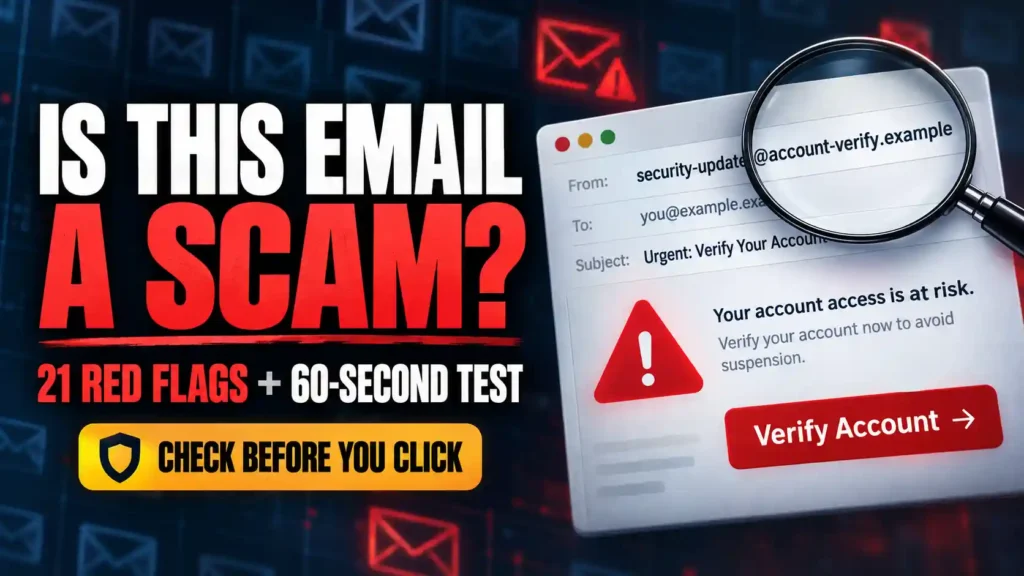
How to Examine a Suspicious Email Before Clicking
A polished message can still reveal important inconsistencies when you slow down.
Check the Complete Sender Address
The display name may say “Account Security,” but the underlying address could belong to an unrelated domain.
Expand the sender information and examine every character.
Watch for:
- Misspelled company names
- Added hyphens
- Extra words
- Replaced letters
- Unusual domain endings
- Personal email accounts
- Long, random addresses
A message can also come from a genuine account that has been compromised. A correct address reduces one risk but does not make an unusual request safe.
Examine the Greeting
A generic greeting is not automatic proof of phishing. Some legitimate automated messages do not use your name.
However, a company that normally addresses you personally may behave differently during a phishing attempt.
Treat the greeting as one clue rather than your final decision.
Look for Emotional Pressure
Phishing messages often create:
- Fear
- Curiosity
- Excitement
- Embarrassment
- Urgency
- Obedience
- Sympathy
Ask yourself what the message is trying to make you feel—and what action that feeling is pushing you to take.
Hover Over Links on a Computer
Move your cursor over the link without clicking. The destination may appear near the bottom of the browser or email window.
On a mobile device, you may be able to press and hold the link to preview it. Be careful not to open it accidentally.
Check the core domain immediately before its ending.
A long address can include a trusted company’s name while belonging to someone else.
For example:
secure-bank.example.net
The website belongs to “example.net,” not “secure-bank.”
Do Not Trust Shortened Links
A shortened address hides the final destination.
The link may be legitimate, but an unexpected shortened link involving money, passwords or account security deserves independent verification.
Examine Attachments Carefully
Unexpected attachments can contain malware or lead to credential theft.
Be careful with:
- Compressed files
- Executable programs
- Office documents requesting macros
- HTML files
- Unfamiliar image formats
- Password-protected archives
- Calendar files
- Electronic signature requests
Do not assume a PDF is automatically safe. It can contain malicious links, QR codes or instructions that lead to the next stage of an attack.
Compare the Message With Normal Communication
Ask:
- Does this company normally contact me this way?
- Would this person usually make this request?
- Is the tone different?
- Did the payment process suddenly change?
- Why must I act immediately?
- Why can I not verify the request separately?
Phishing often succeeds by introducing one dangerous change inside an otherwise familiar process.
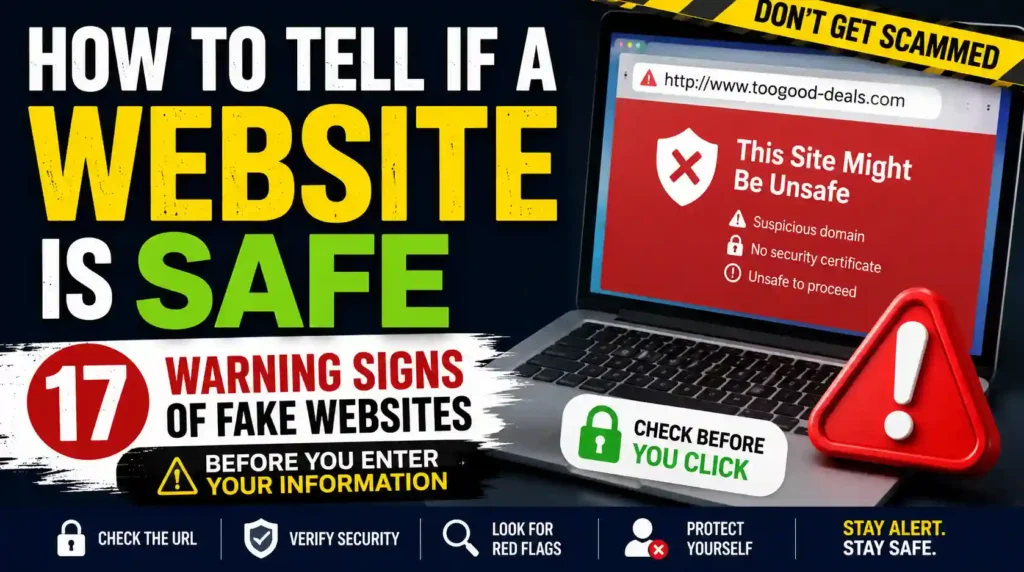
How to Check Whether a Website Is Fake
A phishing website may look identical to the genuine page. Focus on details the attacker cannot copy perfectly.
Read the Domain From Right to Left
Ignore the words at the beginning and identify the registered domain immediately before the ending.
A scammer can place a trusted name anywhere inside a long address.
Watch for Look-Alike Characters
Criminals may replace:
- The letter “o” with zero
- A lowercase “l” with a capital “I”
- The letter “m” with “rn”
- Familiar letters with visually similar symbols
Do not skim a login-page address. Read it carefully.
Do Not Trust the Design
Logos, colours, photographs and privacy notices can all be copied.
A beautiful page does not prove ownership.
Test the Rest of the Website
Fraudulent pages may copy only the login or payment screen.
Check whether navigation links work and whether the contact, legal and policy pages are consistent.
However, do not use this test as your only protection. A sophisticated scammer can copy an entire website.
Use a Saved Bookmark or Official Application
Instead of following the message’s link, open the account through a bookmark you created previously or its official application.
If the warning is real, it should usually appear inside your genuine account.
How to Protect Yourself From Phishing Scams
You do not need to recognise every attack perfectly. You need habits that prevent one questionable message from becoming an account takeover.
Create a Mandatory Pause
Decide that you will never enter credentials, send money or share a security code directly from an unexpected message.
Open the service independently and verify the claim.
Use Unique Passwords
If one phishing page captures a password you reuse, several accounts become vulnerable.
Use a different password for every important service and store them in a reputable password manager.
Use Strong Account Verification
Enable multifactor authentication wherever possible.
An authentication application or security key can provide stronger protection than text messages alone.
Remember that no verification method protects you if you approve an unexpected request or hand the code to a scammer.
Protect Your Email Account First
Your email may control password resets for your other accounts.
Use a unique password, review connected applications and remove unfamiliar forwarding rules.
Keep Software Updated
Update your operating system, browser, applications, security tools and home router.
Updates can repair weaknesses used by malicious websites and files.
Turn Off Automatic Wi-Fi Connections
Prevent your device from joining unknown networks without your knowledge.
Confirm public network names before connecting.
Create a Family Verification Phrase
Choose a private phrase your family can use during urgent calls.
Do not base it on public information such as a birthday, pet or address.
Verify Payment Changes Verbally
If a colleague or supplier sends new banking details, confirm them through a known telephone number.
Do not use the contact details inside the same email announcing the change.
Reduce Public Personal Information
Limit details about your employer, projects, relatives and travel plans.
The less information criminals can collect, the harder it becomes to create convincing spear-phishing messages.
Report Suspicious Messages
Reporting helps your email provider, employer or platform detect related attacks.
Do not simply delete a workplace phishing email if others may receive the same message.
What to Do If You Clicked a Phishing Link
Clicking a suspicious link does not always mean your account has been compromised. What matters is what happened after the click and how quickly you respond.
If You Clicked but Entered Nothing
Close the page immediately.
Do not download files, approve notifications or follow any instructions displayed on the website.
Then:
- Clear the browser download list
- Check whether anything was downloaded
- Close suspicious tabs
- Update your browser
- Run a security scan
- Watch for unusual account activity
If the website requested notification permission and you approved it, remove that permission from your browser settings.
If You Entered a Password
Assume the password is compromised.
Use a trusted device to change it immediately. If you reused the same password elsewhere, change it on every affected account.
Secure your email first because it may control password recovery for other services.
Then:
- Sign out of other sessions
- Remove unfamiliar devices
- Review recovery information
- Enable stronger login verification
- Check connected applications
- Examine forwarding rules
Do not simply change one character in the old password. Create an entirely new and unique one.
If You Shared a Security Code
Contact the organisation connected to the code immediately.
The criminal may have used it to:
- Enter your account
- Change your password
- Add a trusted device
- Authorise a transfer
- Alter recovery information
Review recent account activity and tell the company exactly what happened.
If You Approved a Login Notification
Open the account independently and change your password.
Remove unfamiliar devices, applications and active sessions. Confirm that your telephone number and recovery email remain correct.
If the account involves money, contact the provider’s fraud department.
If You Downloaded a File
Do not open it.
Delete the file and empty the deleted-items folder. Then run a complete security scan.
If you already opened it, disconnect the device from the internet. Use another trusted device to change important passwords.
A malicious file may continue recording your activity even after the original window closes.
If You Installed an Application
Disconnect the device from the internet and remove the suspicious application.
Check whether the program received access to your:
- Screen
- Camera
- Microphone
- Files
- Messages
- Contacts
- Accessibility settings
- Device administration
Revoking permission may not remove everything the application changed. If it had extensive access, consider having the device professionally examined or securely restored.
If You Ran a Command
A fake CAPTCHA or support page may instruct you to paste text into a system command window.
Disconnect the device immediately.
Do not continue using it for banking, email or password changes until it has been checked. The command may have installed malware without displaying an obvious program.
If You Scanned a QR Code
If you only scanned the code and closed the page, the risk may be limited.
However, take additional action if you:
- Entered credentials
- Submitted payment details
- Downloaded an application
- Granted permissions
- Approved a login
- Shared a recovery phrase
Respond according to the information or access you provided.
If You Granted an Application Permission
Open the security settings of the affected account and review connected applications.
Revoke access for the suspicious application. Then change your password and examine recent activity.
Remember that changing your password may not automatically cancel every application permission.
If You Gave Someone Remote Access
Disconnect the device from the internet and stop the remote-access session.
Use another device to contact your bank and change important passwords. Tell your financial provider that another person may have viewed or controlled your screen.
Do not trust the supposed technician to uninstall the program safely.
What to Do If a Phishing Scam Stole Your Money
Speed matters when a phishing attack results in a payment or unauthorised transaction.
Contact Your Financial Provider
Call the fraud department through an official number.
Explain:
- How the phishing attack began
- Which information you shared
- Which transactions you authorised
- Which transactions you did not authorise
- When the activity happened
- Where the money was sent
Ask whether the payment can be frozen, recalled or disputed.
Replace Compromised Cards
If you entered card details on a phishing page, request a replacement card.
Review recent transactions for small test purchases and recurring payments you do not recognise.
Updating the card does not automatically secure your online banking account. Change the relevant login credentials too.
Report the Receiving Account
Provide the scammer’s bank account, payment-app username, cryptocurrency wallet or transfer details.
Even when your money cannot be recovered immediately, reporting the destination may help prevent additional losses.
Preserve Your Evidence
Save:
- The original message
- Email headers
- Screenshots
- Website addresses
- Telephone numbers
- Payment receipts
- Chat histories
- Transaction details
- Downloaded filenames
Do not delete the evidence because you feel embarrassed. It can help explain how the payment occurred.
Watch for Recovery Scams
After losing money, you may be contacted by someone claiming they can retrieve it.
They could pretend to be:
- A lawyer
- An investigator
- A hacker
- A government representative
- A cryptocurrency specialist
- A recovery company
They demand an upfront fee, tax or deposit.
Do not pay anyone who guarantees recovery. Your information may have been shared by the original criminals.
What to Do If Phishing Compromised Your Workplace
A workplace phishing mistake can affect colleagues, clients and business systems.
Report It Immediately
Do not hide what happened.
A quick report may allow the security team to disable a malicious link, reset credentials and warn other employees.
Waiting because you fear embarrassment can give the attacker more time.
Explain Exactly What You Did
Tell the security team whether you:
- Clicked a link
- Entered a password
- Opened an attachment
- Approved a login
- Installed software
- Shared a document
- Sent money
- Granted application access
Accurate information helps them choose the correct response.
Stop Using the Affected Device
Follow your workplace’s instructions. Do not continue checking email or accessing business systems if malware may be present.
Warn About Payment Changes
If the attacker accessed your email, they may send fake invoices or banking instructions to your contacts.
Notify the people responsible for payments and supplier changes.
Review Sent Messages and Email Rules
Look for messages you did not send and forwarding rules you did not create.
A criminal may use your genuine account to launch more convincing phishing attacks.
Phishing Prevention Checklist
Before clicking, scanning, downloading or replying, ask yourself:
- Was I expecting this message?
- Does the request match the sender’s normal behaviour?
- Am I being pressured to act immediately?
- Is the sender’s complete address correct?
- Does the link use the official domain?
- Am I being asked to reveal a password or security code?
- Does the message create fear, excitement or curiosity?
- Can I verify the claim independently?
- Why must I install software?
- Why must I move to another communication channel?
- Did the payment instructions suddenly change?
- Am I being asked to keep the situation secret?
- Can I open the account through its official application instead?
- Have I spoken with the supposed sender?
- Would waiting five minutes create a genuine problem?
If the request is legitimate, independent verification should confirm it. If verification destroys the opportunity, the opportunity was probably the bait.
Frequently Asked Questions About Phishing Scams
These answers address the questions you may have when a message, call or website feels suspicious.
1. What Is the Main Purpose of Phishing?
Phishing tries to manipulate you into revealing information, granting access, downloading malware or sending money.
The attacker usually impersonates someone you trust so the request feels routine or urgent.
2. What Is the Most Common Sign of Phishing?
An unexpected message that pressures you to click, log in, pay or reveal sensitive information is one of the strongest warning signs.
Spelling errors can appear, but professional grammar does not prove legitimacy.
3. Can You Get Hacked Just by Opening an Email?
Simply viewing a modern email is usually less dangerous than clicking a link, opening an attachment or following its instructions.
However, security risks vary by software. Keep your email application, browser and operating system updated.
4. Can Clicking a Phishing Link Infect Your Phone?
It can.
A malicious page may attempt to exploit an outdated device, persuade you to install an application or steal information you enter.
Close the page, check for downloads and update your device.
5. What Happens If You Click a Phishing Link but Enter Nothing?
The risk is generally lower, but not always zero.
Close the page, confirm that nothing was downloaded and run a security scan. Watch for unusual notifications or account activity.
6. What Should You Do If You Entered Your Password?
Change it immediately from a trusted device.
Sign out of other sessions, enable stronger verification and change the password anywhere else you reused it.
7. Should You Reply to a Phishing Email?
No.
Replying can confirm that your email address is active and give the scammer another chance to manipulate you.
Verify the supposed sender through a separate channel.
8. How Can You Check a Link Without Clicking It?
On a computer, hover over the link and examine the displayed destination.
On some mobile devices, pressing and holding the link shows a preview. Be careful not to open it accidentally.
9. Does a Padlock Mean a Website Is Safe?
No.
The padlock means your connection to the website is encrypted. It does not prove the website belongs to the organisation it claims to represent.
10. Can a Phishing Email Come From a Real Address?
Yes.
A genuine email account may have been compromised. The attacker can then send messages from a trusted address or continue a real conversation.
Judge the request as well as the sender.
11. What Is Smishing?
Smishing is phishing delivered through text messages or messaging applications.
Common examples include fake delivery notices, toll demands, bank alerts and refund offers.
12. What Is Vishing?
Vishing is voice phishing.
A caller impersonates someone you trust and pressures you to reveal information, install software or send money.
13. What Is Quishing?
Quishing uses a QR code to send you to a phishing page or malicious download.
The code hides the destination until you scan it.
14. What Is Spear Phishing?
Spear phishing is targeted to a specific person or organisation.
The criminal uses personal or workplace information to make the message more convincing.
15. What Is Whaling?
Whaling targets executives, business owners and other senior decision-makers.
The attacker may seek payment approval, confidential data or access to business systems.
16. What Is Clone Phishing?
Clone phishing copies a legitimate message and replaces its safe link or attachment with a malicious one.
The fake email may claim to contain an updated or corrected file.
17. Can Artificial Intelligence Create Phishing Messages?
Yes.
Artificial intelligence can help criminals produce professional messages, personalise attacks and imitate familiar voices.
You should verify the request independently instead of relying on writing quality.
18. Can Caller ID Be Faked?
Yes.
A scammer can make your screen display a trusted organisation or familiar telephone number.
End the call and call back using a number you already trust.
19. Will a Bank Ask for Your Security Code?
A genuine automated system may ask you to enter a code during a login you initiated.
An incoming caller should not ask you to read a one-time code aloud. That code may be authorising the criminal’s access.
20. Should You Scan a QR Code From an Email?
Treat an unexpected QR code like an unfamiliar link.
Verify why it was sent and inspect the destination before entering information.
21. Can a Phishing Page Bypass Multifactor Authentication?
Some attacks can capture your credentials and persuade you to provide or approve the second verification step.
Strong authentication helps, but you must still reject requests you did not initiate.
22. Can a Password Manager Protect You From Phishing?
It can reduce your risk.
A password manager may refuse to fill credentials on a fake domain. However, you can still manually paste the password, so examine the website carefully.
23. Is a Work Email Safer Than a Personal Email?
Not automatically.
Workplace accounts are valuable targets because they can provide access to data, payments and colleagues. Follow the same verification habits on every account.
24. Why Do Phishing Messages Create Urgency?
Urgency reduces the time you spend thinking, verifying and asking for advice.
When a message demands immediate action, slow down deliberately.
25. How Should You Report a Phishing Message?
Use the reporting feature provided by your email service, employer, mobile provider or messaging platform.
If money or identity information was stolen, report the incident through the appropriate fraud and identity-theft channels.
26. Should You Delete a Phishing Message Immediately?
Report and preserve it first if money, account access or workplace systems are involved.
Your security team or financial provider may need the sender, link and message details.
27. Can Antivirus Software Stop Every Phishing Attack?
No.
Security software can block many malicious pages and files, but it cannot prevent every convincing request for passwords, payments or security codes.
Your verification habits remain essential.
28. What Is the Best Defence Against Phishing?
Pause and verify through a separate channel.
Do not use the message’s link, telephone number or attachment to prove that the same message is genuine.
Final Thoughts on Phishing Scams in 2026
Phishing scams no longer have to look suspicious.
A criminal can copy a trusted website, impersonate a real recruiter, clone a familiar voice or hide a malicious destination inside a QR code. The spelling may be perfect, the timing may feel relevant and the sender may know personal details about you.
That is why appearance cannot be your final test.
Focus on what the message wants you to do.
If an unexpected request pushes you to enter a password, reveal a security code, install software, approve a login or send money, stop.
Open the account independently. Contact the person through a trusted channel. Read the complete website address. Ask someone else to examine the situation when emotion is involved.
The safest click is often the one you delay long enough to question.
Pingback: Did OpenAI Get Hacked? What Actually Happened and Should ChatGPT Users Be Worried? - SafeGuard Press
Pingback: How To Identify A Scammer On WhatsApp: 19 Red Flags And A 5-Minute Test - SafeGuard Press
Pingback: Is It Safe to Open a WhatsApp Message From an Unknown Number? What Actually Happens - SafeGuard Press