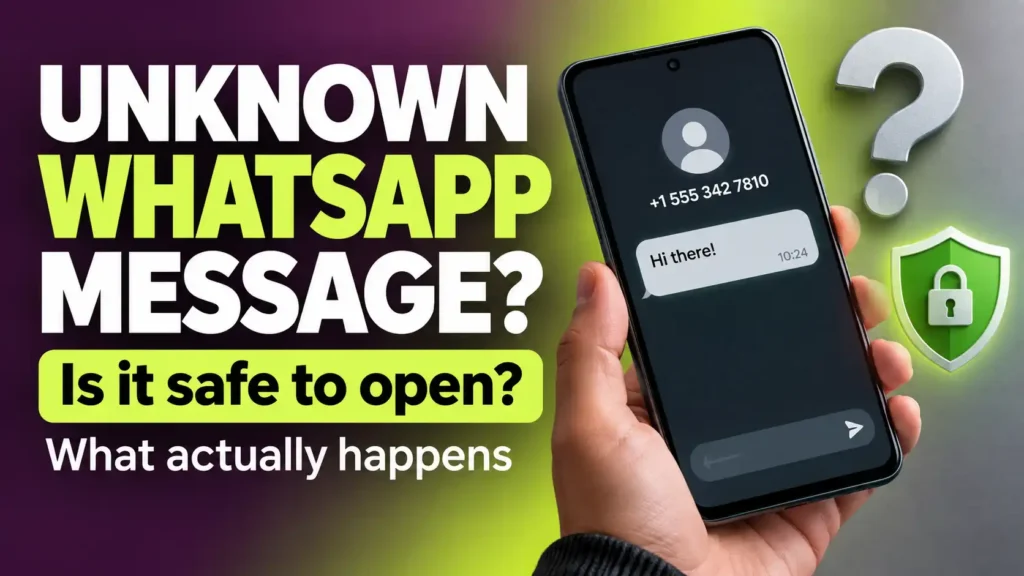
An unfamiliar number sends you a message. You want to see what it says, but one thought stops you: could opening the chat let someone hack your phone?
Does WhatsApp Encryption Make Unknown Messages Safe?
End-to-end encryption protects personal messages and calls while they travel between participants. It does not verify that the person messaging you is honest.
A scammer can use an encrypted conversation to send a fake bank alert, request a registration code or pressure you into paying an invented emergency bill.
Think of encryption as protection for the conversation’s privacy. It is not an approval stamp for the sender, their links or their requests.
For example, a message might say:
“Your account will be suspended. Send the six-digit code we just sent to your phone.”
Reading that message does not hand over your account. Sharing the code could help someone take it over.
Another message might say:
“Dad, this is my new number. Please pay this bill for me.”
Opening the chat does not authorize a payment. The danger begins when you trust the claim without checking it through a contact method you already know.
For help checking the person behind the message, use our guide to how to identify a scammer on WhatsApp.
It is generally safe to open a WhatsApp message from an unknown number to read ordinary text. Opening the conversation does not, by itself, give the sender access to your passwords, photos or bank account. The greater risks come from following links, opening unexpected attachments, installing apps or sharing verification codes.
If you already opened the message and only read the text, there is usually no reason to factory-reset your phone or change every password.
However, “generally safe” does not mean that WhatsApp can never have a security flaw. Rare attacks have exploited software vulnerabilities without requiring a click. Keeping WhatsApp and your phone’s operating system updated remains important.
First, identify what you actually did. Reading a message, downloading a photo and giving someone a login code require different responses.
Check what you did:
| Your last action | What to do now |
|---|---|
| You only read the text | You generally need no emergency action. Ignore, block, or report the message if it is unwanted. |
| A photo or video downloaded automatically | Do not assume your phone is infected. Leave unexpected media unopened and review your download settings. |
| You tapped a link | Check whether you entered information, downloaded anything, or approved a request. |
| You installed an app or shared a code | Secure the affected device or account promptly through its official settings. |
There is a rare technical exception: sophisticated attacks have exploited flaws in messaging software without the recipient tapping anything. But receiving an unexpected message does not mean such an attack has happened to you.
Here is what opening the chat can and cannot do, what the sender may see, and the steps worth taking if you already interacted with the message.
Is It Safe to Open a WhatsApp Message From an Unknown Number?
WhatsApp displays the conversation so you can read it. Opening the chat does not give the sender permission to browse your photos, read your passwords, or control your phone.
It helps to separate six actions people often lump together:
- Receiving the message: It arrives in WhatsApp.
- Opening the chat: You read what the sender wrote.
- Downloading media: WhatsApp downloads an attached file automatically, or you choose to download it.
- Opening an attachment: Your phone processes the photo, document, or other file.
- Tapping a link: You visit a website or open another app.
- Following instructions: You reply, install something, pay, or share information.
For someone asking, “Can I open this message to see who sent it?”, the answer is generally yes. You can read the text and decide not to do anything else.
That last point matters. An unfamiliar message may be harmless, unwanted, or deceptive. You do not have to determine which one it is before you are allowed to read it.
Can Someone Hack Your Phone Just by Sending a WhatsApp Message?
WhatsApp’s published security advisories document vulnerabilities affecting particular software versions. These advisories are a reason to install updates, not evidence that every unexpected message has compromised your phone.
An ordinary text from a stranger is not evidence that your phone has been hacked. Opening a chat to read it is generally safe.
However, it would also be wrong to claim that a messaging app can never have a security flaw. Researchers have documented targeted attacks that exploited WhatsApp without requiring the recipient to tap a malicious link.
These are called zero-click attacks.
What is a zero-click attack?
A zero-click attack uses a software vulnerability without requiring the target to take an obvious action. Depending on the flaw, the person might not need to tap a link, open a file, or even open the chat.
That is why “Never open a stranger’s message or a zero-click attack will start” is misleading. If an attack truly requires zero clicks, avoiding the chat is not what stops it.
For everyday users, the sensible response is to:
- Keep WhatsApp updated.
- Keep your phone’s operating system updated.
- Take a genuine security warning from WhatsApp or your device maker seriously.
- Review stronger protection settings if you face an unusually high risk of targeted attacks.
If an unknown sender writes, “Your phone is infected; tap here to fix it,” that message is not itself an official security warning. Open WhatsApp or your device settings independently to check for real alerts.
Does WhatsApp Encryption Make Unknown Messages Safe?
End-to-end encryption protects personal messages and calls while they travel between participants. It does not verify that the person messaging you is honest.
A scammer can use an encrypted conversation to send a fake bank alert, request a registration code or pressure you into paying an invented emergency bill.
Think of encryption as protection for the conversation’s privacy. It is not an approval stamp for the sender, their links or their requests.
For example, a message might say:
“Your account will be suspended. Send the six-digit code we just sent to your phone.”
Reading that message does not hand over your account. Sharing the code could help someone take it over.
Another message might say:
“Dad, this is my new number. Please pay this bill for me.”
Opening the chat does not authorize a payment. The danger begins when you trust the claim without checking it through a contact method you already know.
For help checking the person behind the message, use our guide to how to identify a scammer on WhatsApp.
Can a WhatsApp Photo Download Without You Tapping It?
Yes. Depending on your settings, WhatsApp may automatically download photos, videos, voice messages, or documents over mobile data, Wi-Fi, or while roaming.
But keep this distinction clear:
A file downloading to your phone does not mean malware has run on your phone.
A downloaded image is a file. An infection would require something more, such as a software vulnerability being exploited or you being persuaded to install malicious software. There is no basis to tell someone their device has been hacked merely because a stranger’s photo appeared in a WhatsApp chat.
You can still choose to limit automatic downloads. Doing so gives you more control over incoming files, reduces unwanted clutter, and lets you decide whether you want an attachment before downloading it.
Also, downloading media in WhatsApp and showing it in your phone’s Photos or Gallery app are separate settings. Hiding WhatsApp images from your gallery does not necessarily stop WhatsApp from downloading them.
If a stranger sent a document, should you open it?
You do not need to. If the sender is unknown and you have no reason to expect a document, leave it unopened.
A document could be ordinary, but you should be especially cautious if the sender tells you to:
- Install an app to view it.
- Change your phone’s security settings.
- Sign in on an unfamiliar website.
- Enable permissions you do not understand.
- Send back a verification code.
The message’s instructions may be more dangerous than the file itself.
Will the Sender Know You Opened Their First Message?
According to WhatsApp’s guidance on messages from unknown senders, the sender will not see your read receipt for their first message until you reply or add them as a contact, even if read receipts are turned on. This rule concerns the first message from an unsaved contact; it should not be applied to every existing chat or group conversation.
There are three separate things to think about:
Read receipts
A read receipt tells a sender that a message was read. The rule above concerns a first message from someone you have not saved. Do not assume every existing chat or group conversation works the same way.
Last seen and online status
These are controlled by their own privacy settings. Check WhatsApp → Settings → Privacy → Last seen and online to see who can view your activity.
Your reply
Replying is a direct signal that someone is using the account and is willing to engage. That does not mean you must never answer an unfamiliar number; a new customer or colleague may contact you legitimately. It means you get to decide whether a reply is necessary.
Opening a first chat, appearing online, and sending a reply are different events. Claims that merely reading one unknown message automatically makes your number valuable to criminals overstate what the sender learns.
How to Stop WhatsApp From Automatically Downloading Media
If you want to choose which files WhatsApp downloads, review the settings on your own phone. Android and iPhone present these controls differently.
On Android
- Open WhatsApp.
- Tap the three-dot menu, then Settings.
- Tap Storage and data.
- Find Media auto-download.
- Open the options for mobile data, Wi-Fi, and roaming.
- Review which media types are selected under each option. Turn off the automatic downloads you do not want.
Check all three connection types. Changing the mobile-data setting alone may still allow automatic downloads when your phone joins Wi-Fi.
On iPhone
- Open WhatsApp.
- Tap Settings.
- Tap Storage and Data.
- Find Media Auto-Download.
- Open each available media type and choose when you want it to download. Select Never if you want to download that type manually.
If your menus look different, use the options shown in your current app version. WhatsApp may change labels or placement over time.
What this setting does: It gives you control over automatic downloads.
What it does not do: It does not make every file safe to open or replace software updates.
Should You Turn On Strict Account Settings?
WhatsApp’s announcement of Strict Account Settings explains that the feature can block attachments and media from unknown senders and apply other restrictions. It is particularly relevant to people at risk of sophisticated targeted attacks.
The feature and its settings path are confirmed in Meta’s announcement. about.fb.com
These three links support the claims most likely to make readers question your accuracy.
WhatsApp also offers Strict Account Settings, a stronger set of restrictions intended particularly for people concerned about sophisticated cyberattacks.
When enabled, it changes certain account settings to more restrictive options. It can also block attachments and media from people who are not in your contacts.
To look for it, go to:
WhatsApp → Settings → Privacy → Advanced → Strict Account Settings
Read the changes shown on your phone before turning it on. This setting limits some WhatsApp functions, which may be inconvenient if you regularly exchange files with people whose numbers you have not saved. If you cannot find it, make sure your app is updated and check the settings available on your device.
There is an important difference between this feature and ordinary media auto-download controls:
- Media auto-download settings let you decide when certain files download.
- Strict Account Settings apply broader restrictions, including blocking attachments and media from people outside your contacts.
You do not need Strict Account Settings merely to read a new customer’s text safely. It is an additional option if its restrictions suit your situation.
What Should You Avoid Doing in an Unknown Chat?
The text itself may ask you to take an action. Decide whether that action is safe before you follow it.
Do not tap a link just to find out whether it is genuine
A fraudulent page can copy a real company’s logo and login screen. Our guide to phishing scams explains how these requests try to steal passwords, payment details and account access.
A page does not become trustworthy because it looks professional on your phone.
Do not install an app at a stranger’s request
Be especially cautious if you are asked to install an app file, enable a phone setting, or give an app access to your screen, messages, files, or other accounts. Stop and verify the request through a channel you already trust.
Do not share a verification code
If someone asks for a code that arrived on your phone, do not send it. Read the message that contains the code: it may tell you which account someone is trying to access.
Do not feel obliged to reply
You can read a message and leave it unanswered. If someone claims to be a person you know using a new number, contact that person through a number or account you trusted before this message arrived.
If your real question is whether the sender or their story is legitimate, see WhatsApp Scammer List: Check a Suspicious Number, Profile or Message. That guide deals with checking the contact; this one deals with the technical safety of opening the chat.
I Already Opened the Message. What Should I Do Now?
Take a breath and identify your last action. Do not treat every opened message like an account takeover.
If you only read the text
You generally do not need to change passwords, factory-reset your phone, or delete WhatsApp. Leave any unexpected links and attachments alone. If the contact is unwanted, block or report it.
If a photo or video downloaded automatically
A download alone does not prove an infection. Leave unexpected media unopened. Review your media auto-download settings and install available WhatsApp and phone updates.
If you tapped a link
Ask yourself:
- Did I enter a password or code?
- Did I enter card or banking details?
- Did I download or install anything?
- Did I approve a sign-in or grant an app permission?
If you entered a password, change it using the service’s real app or website and review recent account activity. If you supplied payment details, contact your financial provider through its official channel. If you installed an unfamiliar app, remove it and check your device’s security settings.
If you only opened a webpage and did none of those things, close it. Do not assume that visiting it automatically gave the sender control of your phone.
If you opened a document
Opening a document does not automatically establish that your phone is compromised. Consider what happened next. Did it ask you to install something, sign in, or grant a permission? Respond to the action you actually took, and update the app used to open the document.
If you shared a WhatsApp registration code
Act promptly. If you have been logged out, open the official WhatsApp app and follow its recovery process to register your own number again. Enter verification codes only in the official app, and never send them to another person.
If you still have access, review Linked devices and log out any device you do not recognize. Enable two-step verification in your account settings.
If someone is impersonating you, warn close contacts through another trusted channel. Tell them to ignore requests for money or codes.
Deleting the suspicious message does not reverse an account takeover. Recover and secure the account first.
How Do You Block or Report an Unknown Number?
If you do not want further contact, use WhatsApp’s Block or Report options. You may see them in the chat with an unknown sender or after tapping the number at the top. Their position can vary by phone and app version.
- Block stops that account from contacting you through WhatsApp in the usual way.
- Report asks WhatsApp to review the account and can send it up to five of the latest messages the person sent you.
- Preserve the messages first if they contain threats or details you may need as evidence.
Reporting does not guarantee that WhatsApp will ban the sender. You do not need to reply or confront the person before you block them.
Frequently Asked Questions
Is it safe to open a WhatsApp message from an unknown number?
Generally, yes, if you are opening the chat to read ordinary text. Reading it does not, by itself, give the sender access to your phone.
Can someone hack my phone if I only read their WhatsApp text?
An ordinary text is not evidence that your phone has been hacked. Rare software exploits have existed, which is why keeping WhatsApp and your operating system updated matters.
Can a zero-click attack happen if I never open the message?
Yes, that is what zero-click means: the attack does not require you to tap something. Documented examples have involved targeted spyware. Receiving an unfamiliar message does not mean you were targeted.
Does opening an unknown chat send blue ticks?
For a first message from someone you have not saved, WhatsApp says a read receipt will not show until you reply or add the person as a contact. Other chats and group conversations may work differently.
Can an unknown number see when I am online?
What others can see depends on your WhatsApp privacy settings and your previous connection with that account. Review Settings → Privacy → Last seen and online rather than assuming opening one chat controls all visibility.
Can a photo download before I open the chat?
Depending on your media auto-download settings, WhatsApp may download incoming media automatically. Downloading a file does not, by itself, prove that malware ran.
Should I turn off all automatic media downloads?
That is a choice based on how you use WhatsApp. If you receive many unwanted messages or prefer to inspect files before downloading them, more restrictive settings can help. You can review mobile data, Wi-Fi, and roaming separately.
Do I need Strict Account Settings to read unknown messages safely?
No. It is an added protection option with broader restrictions, particularly relevant to people concerned about sophisticated attacks. Review its effects before enabling it.
Should I reply “Who is this?”
You may reply if there is a good reason, but you do not have to. If the sender claims to be someone you know, verify through a contact method you already had.
Should I delete the message immediately?
You can delete an unwanted message, but deleting it does not undo a password you entered, code you shared, or app you installed. Deal with those actions first. Preserve threatening messages if you may need a record.
The Answer to Remember
It is generally safe to open an unknown WhatsApp message to read its text. If reading is all you did, there is usually no need to panic.
The decision that matters comes next. Do not let an unexpected message rush you into opening a file, tapping a link, installing an app, or sharing a code. Keep your phone and WhatsApp updated, review your media and privacy settings, and block or report unwanted contact.