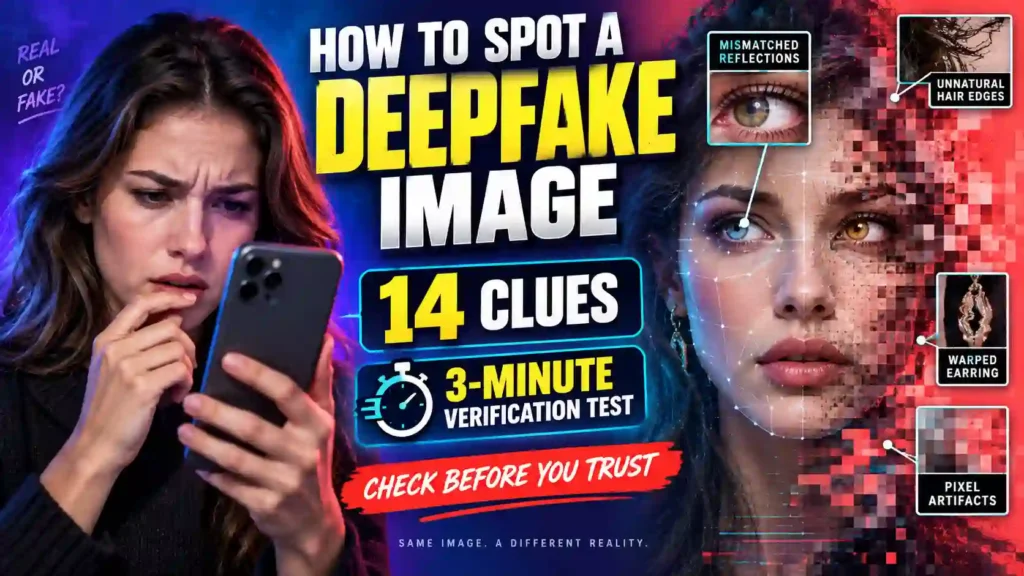
The photograph looks undeniable.
A celebrity appears to be promoting an investment. A politician seems to be accepting a bribe. Your partner is shown with another person. A relative appears injured. Your face has been placed into an intimate image you never created.
Your first instinct may be to believe what you see.
That reaction is exactly what the person sharing the image wants.
A convincing deepfake does not need to survive a professional forensic investigation. It only needs to create enough fear, anger, excitement or embarrassment to make you share, accuse, click or pay before checking.
Artificial intelligence can now generate realistic faces, natural lighting, convincing hands and detailed backgrounds. Obvious errors still appear, but counting fingers is no longer an adequate verification method.
To spot a deepfake image, inspect the face, hands, text, shadows and reflections—but do not stop there. Trace the image to its earliest source, run a reverse-image search, examine available content credentials and verify the surrounding claim independently. Never trust one visual clue or detector result by itself.
The most important question is not:
“Does this photograph look real?”
Ask:
“Can I verify where this image came from, when it first appeared and whether independent evidence supports its claim?”
This guide focuses specifically on still images. If the suspicious content includes speech, facial movement or a live conversation, you will need the separate verification methods for video and voice impersonation.
What to Do Before You Share a Suspicious Image
Do not forward, repost, pay or publicly accuse anyone until you complete basic verification.
Take these steps:
- Record where you found the image.
- Copy the original post URL when possible.
- Identify the earliest account that published it.
- Read the caption separately from the image.
- Run a reverse-image search.
- Search for independent evidence of the event.
- Inspect faces, hands, clothing, text and reflections.
- Check available metadata and content credentials.
- Treat AI-detector results as supporting evidence only.
- Contact the depicted person or organization independently when money, safety or reputation is involved.
If the image is intimate, do not redistribute it to ask other people whether it is genuine.
If anyone depicted may be under 18, do not download, copy or forward explicit material. Preserve the account name, threat, message and URL, then report it through an appropriate child-protection or law-enforcement channel.
What Is a Deepfake Image?
A deepfake image is a photograph-like visual that has been generated or manipulated to misrepresent a person, object, location or event.
It may:
- Place someone’s face on another body
- Show a person somewhere they never visited
- Fabricate an event that never happened
- Add or remove people
- Alter clothing
- Manufacture intimate content
- Create a nonexistent person
- Falsify an identification document
- Produce a fake celebrity endorsement
- Suggest criminal or offensive behavior
A deepfake becomes particularly dangerous when someone presents it as genuine evidence.
These images are one weapon within the broader category of deepfake scams, which may also involve cloned voices, manipulated videos and synthetic identities.
Not every AI-generated image is malicious. Artificial intelligence can be used honestly for art, advertising, illustration and entertainment. The problem begins when synthetic content is deliberately presented as a record of something that happened.
AI-Generated, Deepfake and Edited Images Are Not the Same
Understanding the terminology helps you investigate accurately.
AI-Generated Image
An artificial-intelligence system creates most or all of the scene.
The people, objects and location may not exist.
Edited Photograph
A real photograph is modified.
Harmless editing may include cropping, brightness correction and color adjustment. Deceptive editing may add, remove or alter important details.
Deepfake Image
Synthetic-generation or face-manipulation techniques make a recognizable person appear to do, wear or experience something that did not happen.
Face Swap
One person’s face is placed on another person’s head or body.
Composite Image
Several genuine or synthetic elements are combined into one scene.
The method used to create the falsehood is less important than the deception. A traditionally edited photograph with a false caption can be as harmful as an advanced AI-generated image.
AI-Generated Does Not Automatically Mean Deceptive
Do not confuse artificial creation with dishonesty.
| Type of image | How it is presented | Conclusion |
|---|---|---|
| AI-generated illustration | Clearly labeled as an illustration | Not necessarily deceptive |
| AI-generated event | Presented as a genuine photograph | Deceptive |
| Genuine photograph | Paired with a false location or date | Deceptive context |
| Edited photograph | Changes disclosed honestly | Not necessarily deceptive |
| Edited photograph | Important changes concealed | Potentially deceptive |
| Genuine photograph | Accurate source and context | Generally credible |
The correct question is not merely whether AI was used.
Ask whether the image is being presented honestly and whether it supports the claim attached to it.
Why Deepfake Images Are Harder to Recognize
Early AI images often contained obvious mistakes:
- Extra fingers
- Warped faces
- Meaningless text
- Melted objects
- Impossible teeth
- Plastic-looking skin
Those errors have not disappeared, but image-generation systems have improved.
A modern synthetic image may contain:
- Correct-looking hands
- Natural skin texture
- Readable text
- Consistent lighting
- Believable reflections
- Accurate facial proportions
- Professional photographic effects
At the same time, a genuine photograph may look suspicious because of:
- Compression
- Motion blur
- Beauty filters
- Aggressive sharpening
- Low light
- Unusual camera lenses
- Cropping
- Screenshotting
Visual inspection is therefore only one layer of verification.
The Evidence Hierarchy for Checking a Suspicious Image
Not every type of evidence deserves equal weight.
Use this order when deciding what to trust:
- Original source
- Independent corroboration
- Earlier versions of the image
- Reliable provenance information
- Original-file metadata
- Visual inconsistencies
- AI-detector results
A missing finger may look dramatic, but an earlier photograph showing a completely different face is far stronger evidence.
| Evidence found | Strength |
|---|---|
| Original image shows a different person | Strong evidence of manipulation |
| Credible provenance identifies AI generation | Strong evidence |
| Independent evidence contradicts the caption | Strong warning |
| No traceable original source | Significant warning |
| Inconsistent shadows or reflections | Supporting clue |
| Distorted fingers or accessories | Supporting clue |
| Smooth skin | Weak clue |
| One detector produces a high score | Weak clue |
| No reverse-search result | Inconclusive |
Do not turn weak evidence into a confident public accusation.
The 3-Minute S.O.U.R.C.E. Verification Test
The S.O.U.R.C.E. test combines visual examination with source and context verification.
It can be completed quickly before sharing a viral image, following a payment request or accusing someone of misconduct.
Minute One: Study the Claim and Observe the Image
First, separate the photograph from its caption.
Ask:
- What exactly does the post claim?
- Does the image prove that claim?
- Who published it?
- Is that account the original source?
- Is the caption creating fear, anger or urgency?
- Is anyone asking me to click, pay or share?
- Are there visible problems with the face, hands, text or background?
A genuine photograph can be given a false date, location or identity. The pixels may be real while the story is fabricated.
Minute Two: Uncover the Earlier Source and Research the Context
Run a reverse-image search.
Look for:
- Earlier versions
- A different caption
- The uncropped original
- Stock-photography results
- Another person’s face
- A different date or location
- The photographer
- Similar generated variations
Then search for the claimed event using names, location and date.
If an image supposedly documents a major incident but no reliable independent information exists, treat it as unverified.
Minute Three: Check the Provenance and Exit Before Acting
Inspect available:
- Metadata
- Content credentials
- AI labels
- Editing disclosures
- Original-file information
Then leave the original post and confirm the claim through an independent channel.
If the image supposedly shows a relative in danger, contact that person through a trusted number. If it promotes an investment, investigate the company separately. If it accuses an employee of misconduct, begin a proper investigation.
Do not allow the account distributing the image to control its own verification.
The Three Possible Verification Conclusions
You do not always need to label an image “real” or “fake.”
Your investigation should produce one of three responsible conclusions.
Verified
A credible original source exists, the context is supported and independent evidence confirms the claim.
Unverified
There is not enough reliable evidence to confirm or disprove the image.
Unverified does not mean fake. It means you should not treat the image as established evidence.
Likely Manipulated or Misrepresented
Earlier versions, provenance information, visual defects or independent evidence strongly contradict the image or caption.
Use careful language unless qualified experts or authoritative evidence establish exactly how the image was altered.
14 Clues That an Image May Be a Deepfake
The following visual clues can support an investigation, but none should be used alone.
1. The Face Has a Different Level of Sharpness
A swapped face may appear smoother, sharper or blurrier than the surrounding image.
Compare it with:
- Hair
- Neck
- Clothing
- Hands
- Nearby people
- Background objects
Differences may also result from camera focus or normal editing.
2. The Skin Looks Artificial
Possible problems include:
- Plastic-like smoothness
- Missing pores
- Abrupt texture changes
- Inconsistent wrinkles
- Unnatural highlights
- A face that appears younger than the neck and hands
Beauty filters can create similar effects, so smooth skin is weak evidence by itself.
3. The Eyes and Reflections Do Not Agree
Inspect both eyes.
Look for:
- Different light reflections
- Irregular pupils
- Unnatural gaze direction
- Glassy or hollow eyes
- Missing reflections
- Reflections inconsistent with the room
Eye reflections can naturally differ by angle, making this a supporting clue rather than proof.
4. Teeth Appear Fused or Repeated
Artificial images may struggle to create individual teeth consistently.
Warning signs include:
- Teeth blending together
- Repeated shapes
- Impossible spacing
- Unnatural gum lines
- Inconsistent sharpness
- Teeth changing across similar photographs
Low-resolution images can produce similar effects.
5. Hair Blends Into the Surroundings
Fine hair can reveal manipulation.
Watch for:
- Strands disappearing into clothing
- Hair merging with a wall
- Unnatural edges around the head
- Earrings passing through hair
- Curls beginning or ending abruptly
- Braids with inconsistent patterns
6. Ears, Earrings or Glasses Are Inconsistent
Compare both sides of the face.
Possible problems include:
- Uneven ears
- Mismatched earrings
- Jewelry disappearing
- Glasses blending into skin
- Frames ending before the ears
- Incorrect reflections
- Asymmetrical lenses
Real people can wear different earrings, so context matters.
7. Hands or Fingers Look Physically Wrong
Inspect:
- Finger count
- Finger length
- Joints
- Fingernails
- Hand size
- Grip
- Contact with objects
- Overlap with clothing
Do not stop after counting fingers. A sophisticated AI image may contain anatomically accurate hands.
8. Clothing Patterns Break Unexpectedly
Repeated designs, seams and logos can expose generation or editing errors.
Examine:
- Stripes
- Buttons
- Pockets
- Zippers
- Collars
- Printed words
- Uniform badges
- Jewelry chains
A pattern may disappear, duplicate or merge into the body.
9. Text Is Nonsensical or Uneven
Artificial text may contain:
- Misspelled words
- Repeated characters
- Changing fonts
- Meaningless symbols
- Uneven spacing
- Reversed writing
- Letters that resemble words from a distance
However, current systems can produce accurate text. Correct writing does not prove authenticity.
10. Shadows Point in Conflicting Directions
Identify the apparent light sources, then inspect:
- Facial shadows
- Shadows beneath the chin
- Object shadows
- Floor shadows
- Window light
- Reflections
Inconsistent shadows may reveal a composite image. Multiple real light sources can also create complex results.
11. Reflections Show Something Different
Examine:
- Mirrors
- Windows
- Glasses
- Polished tables
- Vehicle surfaces
- Metal objects
The reflection may omit a person, show another pose or contain objects missing from the room.
Small reflections are easily distorted by compression, so examine the original-resolution file when possible.
12. The Background Contains Repeated or Melted Objects
Look for:
- Repeated people
- Duplicated windows
- Merged furniture
- Impossible doorways
- Distorted vehicle wheels
- Uneven architecture
- Objects blending together
- Crowds containing similar faces
The main subject may look convincing while the background receives less accurate detail.
13. Body Proportions or Physical Contact Look Wrong
Inspect how people interact with objects and one another.
Possible problems include:
- An oversized head
- Unusually long arms
- Impossible foot positions
- A floating hand
- Clothing unaffected by pressure
- Bodies overlapping unnaturally
- Furniture not supporting weight
- Incorrect perspective
Wide-angle lenses and unusual poses can also distort proportions.
14. The Image Has No Credible Origin
This is often more important than every visual clue combined.
Be cautious when:
- The earliest post comes from an anonymous account.
- No photographer or creator is identified.
- The caption provides no date or location.
- Every result traces back to one account.
- The supposed subject has not acknowledged the event.
- No independent evidence supports the claim.
- The post demands immediate sharing.
- Only a screenshot exists.
A technically perfect image with no verifiable origin remains unverified.
How to Perform a Reverse-Image Search on a Computer
A reverse-image search looks for identical or visually similar images online.
The exact buttons vary by browser and search service, but the process remains similar.
Search the Complete Image
- Open the largest version available.
- Right-click the image.
- Select the browser’s visual-search option when available.
- Alternatively, save the image when safe and upload it to a reverse-image search service.
- Review exact and similar matches.
- Look beyond the first page of results.
- Compare dates and captions.
Your objective is not merely to find copies. It is to locate the earliest credible version.
Search a Cropped Section
If the complete image produces no useful match:
- Crop around the face.
- Search again.
- Crop around a logo, building or distinctive object.
- Repeat the search.
- Compare the results.
A face may have been taken from one photograph while the background came from another.
How to Reverse-Search an Image on a Phone
Mobile verification is possible, but screenshots may remove useful information.
When safe:
- Open the original post.
- Use the platform or browser’s visual-search feature.
- Search the complete image.
- Crop around the face or distinctive detail.
- Search the cropped version.
- Compare older results, captions and account names.
- Return to the original post and record its URL.
If you must take a screenshot, understand what it proves:
A screenshot is evidence of what appeared on a screen—not proof of how the underlying image was originally created.
Whenever possible, examine the original post or file.
Three Examples of Image Verification
The following examples show why verification must go beyond visual defects.
Example One: A Celebrity Promotes an Investment
A social-media advertisement shows a recognizable celebrity beside an investment platform.
The face and hands look natural.
However:
- The celebrity’s official channels contain no endorsement.
- The financial company has no established history.
- The advertisement leads to an unrelated domain.
- No trustworthy independent evidence confirms the partnership.
- The post pressures users to invest immediately.
The lack of distorted fingers does not make the endorsement genuine.
Example Two: A Dating Profile Uses a Convincing Face
A dating profile contains several images of the same attractive person in different locations.
A cropped reverse search reveals that the face belongs to someone with a different name. The supposed romantic partner refuses spontaneous video calls and later requests money.
The pictures may be genuine photographs, AI variations or a combination of both. The identity using them is still deceptive.
When manipulated images are combined with emotional attachment and financial requests, the scheme may involve deepfake romance scams.
Example Three: A Real Photograph Carries a False Caption
A dramatic image appears to show a current disaster.
Reverse search reveals that the photograph was taken several years earlier in another country. Nothing inside the image was artificially generated.
The photograph is real. The claim attached to it is false.
This example shows why detecting AI is only one part of image verification.
How to Check the Original Source
Social-media reposts often strip away context.
Work backward:
- Find the earliest publication you can.
- Examine the account’s history.
- Look for a photographer or creator credit.
- Check the stated date and location.
- Search for the event independently.
- Find photographs from different angles.
- Look for statements from the people or organizations involved.
- Determine whether the image was originally labeled as satire, art or AI-generated.
A verified badge is not proof that an image is accurate. Established accounts can publish errors or become compromised.
Can Metadata Prove That an Image Is Real?
Metadata may contain:
- Date and time
- Camera model
- Exposure settings
- File dimensions
- Editing software
- Location when enabled
However, metadata is not conclusive because:
- Social platforms often remove it.
- Screenshots replace original metadata.
- Metadata can be altered.
- Editing software does not prove deceptive manipulation.
- Missing metadata does not prove AI generation.
- Synthetic images can receive plausible metadata.
A file showing a camera model does not prove that every visible element came from that camera. A genuine photograph can be edited and exported while retaining or receiving realistic-looking metadata.
What Are Content Credentials?
Content credentials are provenance records that may describe how an image was created or edited.
Depending on the system, they may show:
- The creator
- The device or software used
- Whether AI tools were involved
- Recorded editing steps
- When the credential was attached
Valid provenance can strengthen verification. Its absence does not prove that an image is fake.
Content credentials may be lost through:
- Screenshots
- Cropping
- Resizing
- Compression
- File conversion
- Reposting
- Unsupported platforms
A criminal may also remove provenance information intentionally.
Can AI-Image Detectors Be Trusted?
AI detectors can provide useful signals, but no result should be treated as a final verdict.
A detector may produce:
- A confidence score
- A generated-or-real label
- A heat map
- A model prediction
- A manipulation warning
The result may be affected by:
- Cropping
- Compression
- Resizing
- Filters
- Screenshots
- Later editing
- Unfamiliar generation models
- Unusual camera conditions
A detector displaying “90% AI” usually indicates its confidence or model score. It does not necessarily mean that exactly 90% of the visible image was artificially created.
Different detectors may also disagree.
Use detection results after source tracing and contextual research—not instead of them.
How Deepfake Images Are Used in Scams
Sometimes the surrounding request exposes the fraud more clearly than the picture.
Celebrity Investment Scams
A public figure appears to endorse cryptocurrency, trading software or an investment platform.
The post usually leads to an unfamiliar website, private group or supposed adviser.
Romance and Catfishing Scams
Synthetic or stolen photographs create a desirable identity. The scammer builds emotional attachment before requesting money.
Deepfake Blackmail
A fabricated intimate or humiliating image is used to demand payment.
For this threat, follow the evidence-preservation and reporting plan in deepfake blackmail scams.
Fake Family Emergencies
A photograph supposedly shows a relative injured, arrested or stranded.
The criminal demands immediate payment while discouraging direct contact.
Political Misinformation
An artificial or miscaptioned image appears to document a scandal, protest, war or disaster.
The objective may be outrage, division or political influence rather than direct payment.
Fake Product Listings
Generated product photographs make low-quality or nonexistent goods appear valuable.
Check independent customer images, seller history and return policies.
Fabricated Evidence
Manipulated images may appear in workplace disputes, insurance claims, relationship conflicts or legal threats.
High-stakes evidence requires corroboration and qualified examination.
What to Do When an Image Is Being Used to Demand Money
Do not let the emotional impact of the image decide whether you pay.
Stop the Transaction
Do not transfer money, reveal credentials or install software.
Verify the Claim Independently
Contact the depicted person, employer, bank or organization through information you already trust.
Preserve the Message
Save:
- Account name
- Profile URL
- Caption
- Payment demand
- Telephone number
- Wallet address
- Surrounding conversation
- Date and time
Report the Account
Use the platform category matching the conduct:
- Fraud
- Impersonation
- Extortion
- Harassment
- Misinformation
- Nonconsensual intimate imagery
Contact the Payment Provider
If you already paid, report the transaction immediately and ask whether it can be stopped, recalled or disputed.
What to Do If Your Face Appears in a Deepfake
Discovering a manipulated image of yourself can feel violating and uncontrollable.
Take these steps:
- Preserve the post URL, username and date.
- Capture the surrounding threat or claim.
- Avoid arguing publicly before saving evidence.
- Report the content under the most accurate category.
- Search for additional copies.
- Secure your accounts.
- Warn close contacts when impersonation is likely.
- Request search-result removal when applicable.
- Contact law enforcement if threats or extortion are involved.
- Seek local legal advice when your safety, employment or reputation is affected.
Do not hire an unverified service promising to delete every copy. Complete removal from every device cannot be guaranteed.
How to Share a Correction Without Spreading the Fake
Attempts to debunk an image can give it a larger audience.
Use these precautions:
- Avoid reposting the full harmful image.
- Link to a reliable correction when available.
- Describe the claim without repeating it as fact.
- Blur sensitive sections when display is necessary.
- Do not tag uninvolved relatives.
- Explain what is known, unknown and contradicted.
- Report the original post.
- Preserve evidence privately.
Never share intimate content as part of a public fact-check.
What Parents Should Teach Children
“Do not believe everything online” is not specific enough.
Teach children to ask:
- Who posted this first?
- Is the account trying to make me angry or afraid?
- Can I find the event elsewhere?
- Does the caption match the photograph?
- Is someone demanding money or secrecy?
- Could sharing this hurt another person?
- Should an adult help me verify it?
Children should also understand that a fake intimate image can be created without the victim ever taking one.
If a child receives such content:
- Do not blame them.
- Do not forward the image.
- Preserve the threat and account details.
- Report the incident.
- Notify the school when students are involved.
- Monitor the child’s emotional safety.
- Seek urgent help if they express hopelessness or self-harm.
Practical Deepfake Image Checklist
Before believing or sharing a suspicious image, work through these questions.
Source
- Who published it first?
- Is the creator identified?
- Does the account have a credible history?
- Was the image labeled as AI, satire or illustration?
- Can the original file or post be located?
Image
- Do the face and body match?
- Are hands, teeth, hair and accessories consistent?
- Do shadows and lighting make sense?
- Are reflections correct?
- Is text readable and coherent?
- Does the background contain repeated objects?
Context
- Does the caption accurately describe what is visible?
- Can the date and location be confirmed?
- Do independent photographs show the same event?
- Is someone using the image to create urgency?
- Does the post ask for money, clicks or immediate sharing?
Verification
- What does reverse-image search reveal?
- Are content credentials available?
- Does the metadata provide useful evidence?
- Can the claim be confirmed independently?
- Do detector results agree with stronger evidence?
Decision
- Is the image verified, unverified or likely manipulated?
- What happens if I wait?
- Would sharing harm an innocent person?
- Do I have enough evidence to make an accusation?
Common Image-Verification Mistakes
Avoid these errors.
Counting Fingers and Stopping
Correct hands do not prove authenticity, and unusual hands do not automatically prove AI generation.
Trusting One Detector
A probability score is not a verdict.
Believing a Verified Account
A badge does not guarantee accuracy or prove that the account remains under its owner’s control.
Assuming Metadata Cannot Be Altered
Metadata can be removed, changed or misunderstood.
Treating No Search Results as Proof
New, private or heavily edited images may not appear in reverse searches.
Ignoring the Caption
A genuine photograph can support a completely false story.
Reposting While Asking for Opinions
This helps the image spread and may harm the depicted person.
Contacting the Person Through Details in the Post
A scammer may control the supplied number, email address or verification link.
Making a Public Accusation Too Early
Incorrect accusations can cause serious reputational or legal harm.
Frequently Asked Questions About Spotting Deepfake Images
These answers address common questions about AI photographs, reverse searches, metadata, content credentials and image-detection tools.
What is a deepfake image?
It is an artificially generated or manipulated image that misrepresents a person, object, place or event.
How can I tell whether a photograph is AI-generated?
Inspect visual details, trace the original source, perform a reverse-image search, check available provenance information and verify the surrounding claim independently.
What is the quickest way to check a suspicious image?
Use the S.O.U.R.C.E. test: study the claim, observe the image, uncover earlier versions, research the context, check the provenance and exit before acting.
What is the easiest deepfake clue to notice?
Distorted hands, text, reflections and accessories may be noticeable, but no single clue appears in every artificial image.
Do extra fingers prove that an image is AI-generated?
No. Motion, editing and unusual camera angles can create confusing anatomy. Modern AI systems can also generate correct hands.
Can an AI image have perfect hands?
Yes. Correct-looking fingers do not prove authenticity.
Can deepfake images contain accurate text?
Yes. Artificial-image systems are becoming better at producing readable text and realistic signs.
Is smooth skin proof of a deepfake?
No. Beauty filters, compression and editing can produce similar effects.
Can reverse-image search identify a deepfake?
It may reveal an earlier photograph, different face, stock image or original context. A newly generated image may produce no matches.
Does no reverse-search result mean the image is genuine?
No. The image may be new, private, unindexed, cropped or heavily altered.
Can I reverse-search a screenshot?
Yes, but the screenshot may remove metadata, content credentials and technical signals. Search the original image whenever possible.
Can metadata prove that an image came from a camera?
It can support that conclusion, but metadata may be altered or added. A camera model does not prove that every visible element is genuine.
Why is metadata sometimes missing?
Social platforms, compression, screenshots and file conversions may remove it.
What are content credentials?
They are provenance records that may describe who created a file, what tools were used and whether supported AI editing occurred.
Does missing provenance mean an image is fake?
No. Many genuine images contain no accessible content credentials.
Are free AI-image detectors accurate?
Their performance varies. Cropping, compression, screenshots and unfamiliar generation systems can cause incorrect results.
What does a detector’s percentage mean?
It generally represents a model score or estimated confidence. It does not necessarily describe what percentage of the image was artificially created.
Should I use several AI detectors?
Several results may provide additional signals, but even unanimous detector results should be compared with source and contextual evidence.
Can cropping affect deepfake detection?
Yes. Cropping may remove manipulated regions, watermarks, provenance information or signals used by detection tools.
Can a genuine photograph receive an AI label?
Mistakes and confusing labels can occur. Some editing processes may also cause an image to be labeled even when its main content came from a camera.
Can scammers create several images of the same fake person?
Yes. Artificial intelligence can produce multiple photographs of a consistent synthetic identity.
How can I check a suspicious dating photograph?
Reverse-search the complete image and cropped face, compare identity information across accounts and verify the person independently before sending money.
What should I do when a celebrity image promotes an investment?
Do not use the advertisement’s link. Check the celebrity’s authentic channels and investigate the company independently.
Can someone create a deepfake from one photograph?
Depending on the source image and tools, limited material may be sufficient to produce manipulated content.
What is the strongest way to verify an image?
Combine original-source tracing, independent corroboration, reverse-image searches, provenance information, metadata and visual examination. Never rely on one clue or detector.
Final Warning
Deepfake images exploit a belief developed over generations: that a photograph records something that happened.
That assumption is no longer enough.
A face can be transferred. A location can be generated. A crowd can be invented. A genuine photograph can carry a false caption. An artificial image can contain realistic fingers, readable text and correct shadows.
Do not ask only whether the image looks fake.
Ask:
- Who published it first?
- Can I locate the original?
- What does reverse search reveal?
- Does independent evidence confirm the event?
- Are provenance records available?
- Is someone pressuring me to pay, share or react?
- What happens if I wait three minutes?
Remember S.O.U.R.C.E.:
- Study the claim.
- Observe the image.
- Uncover the earlier source.
- Research the context.
- Check the provenance.
- Exit before acting.
You do not need to become a digital-forensics expert. You need to prevent one persuasive picture from controlling a decision it has not earned.


Pingback: Fake WhatsApp Screenshot: 15 Signs the Conversation Was Edited or Fabricated - SafeGuard Press
Pingback: WhatsApp Scammer List: Check a Suspicious Number, Profile or Message - SafeGuard Press
Pingback: Celebrity Romance Scam: Is That Famous Person Really in Love With You? How to Check Before You Pay - SafeGuard Press