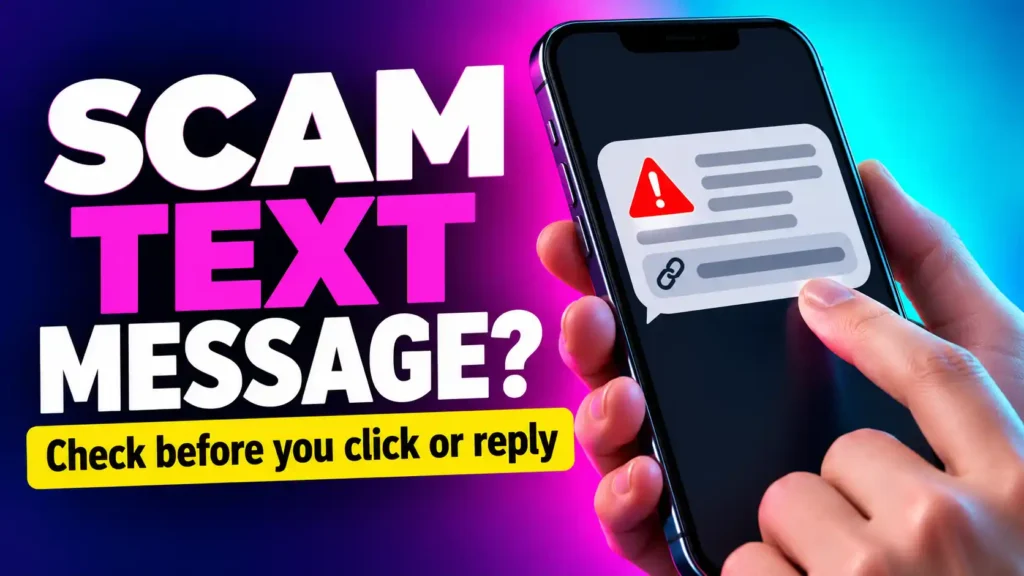
Your phone buzzes. The message says a parcel cannot be delivered until you pay a small fee.
That sounds possible. You are expecting a package, and the amount is hardly worth arguing about. Yet the link looks strange. Should you ignore it and risk missing your delivery, or tap it and see what happens?
That moment of uncertainty is exactly where many text message scams work. The sender does not need to convince you of an outrageous story. They only need a believable reason for you to take one small action before you check.
If you are trying to tell whether a text message is from a scammer, start with the request, not the sender name. What does the message want you to click, pay, enter, approve or keep secret? Then check the claim through an app, website or phone number you found independently.
This guide shows you how to do that, what common scam texts look like and what to do if you already replied or clicked.
How to Tell If a Text Message Is From a Scammer Quickly
You do not need to investigate every detail before deciding to pause. A text deserves a closer look if it arrives unexpectedly and asks you to:
- Tap a link to fix a delivery, payment or account problem
- Call a number supplied in the message
- Enter a password, card number or identity details
- Read out a one-time security code
- Reply to cancel an account, loan or purchase you did not request
- Send money before a deadline
- Move a conversation to another app
- Keep the request secret
None of these signs proves fraud by itself. A real company may text you about a delivery or appointment. The deciding step is to check the claim somewhere the sender does not control.
If the message claims to be from your bank, open your bank’s official app. If it concerns a package, check your order or the delivery company’s website by entering its known address yourself. If it claims to be from a person you know, contact that person through a number you already had.
Do not use the text’s link or callback number as your only way to verify the text. That simply sends you back to whoever wrote it.
What Makes a Scam Text Look Convincing?
Many suspicious texts contain something true. You might genuinely have a parcel on the way or an account with the named bank. The sender may know your name or refer to your city.
Those details make the message feel personal, but they are not enough to establish who sent it. Scammers send large numbers of messages, borrow the names of familiar businesses and sometimes use information gathered elsewhere.
The message may also appear in an existing text conversation with a company. A displayed sender name or familiar-looking thread should prompt you to check the request, not skip the check.
Look for the moment when an ordinary update becomes an instruction:
“Your parcel is delayed” becomes “Enter your card details here.”
“We noticed a payment” becomes “Read us the code we just sent.”
“Your account needs attention” becomes “Sign in through this link immediately.”
That change is where your money or information may be at risk.
A Five-Minute Check for a Suspicious Text
Instead of replying to ask whether the message is genuine, work through these steps.
1. Identify the Exact Claim
What supposedly happened? Was a delivery missed? Did a payment fail? Is your account locked? Write the claim in plain words.
This matters because vague fear can make you follow instructions before checking whether there is a real problem.
2. Identify What the Sender Wants
A text may create concern without stating its goal immediately. Read it again and find the requested action.
Does it want a payment, login, code, document, phone call or reply? A small fee may lead to a page collecting full card details. A request to reply “NO” may begin a conversation with someone posing as a fraud agent.
3. Leave the Message to Verify the Claim
Open the relevant app yourself or use contact information you already trust. Check your bank transactions, delivery order, account notices or recent applications.
If you cannot find the claimed problem, do not assume the text is genuine because it sounds urgent. If you do find a problem, handle it inside the official service rather than returning to the message’s link.
4. Examine the Link Without Opening It
Look at the complete web address shown in the message. Is it the address you normally use for the organisation? Are there added words, altered letters or an unrelated domain?
A strange address is a warning. A familiar-looking address is not a guarantee, so independent verification still matters. Avoid pasting a suspicious link into another app where you might tap it accidentally.
5. Decide Based on What You Verified
If the real organisation confirms the request through its own app or a verified representative, follow its established process. If you cannot confirm it, do not pay, provide details or share a code.
A genuine issue can still be resolved after you take a few minutes to check.
Common Text Message Scams and What They Want
The wording changes, but most examples follow a recognisable pattern: create a problem or opportunity, then direct you to a link, phone number or payment.
Fake Package Delivery Texts
The text says your delivery address is incomplete or a small fee is due before the parcel can be released.
What it wants: You to open a fake delivery page and enter your address, card details or other information.
What to check: Open the store where you placed the order or the carrier’s official app. Compare the tracking information there. Receiving a delivery text while you are expecting a parcel is a coincidence scammers can exploit.
Fake Bank Fraud Alerts
The message asks whether you approved a payment. It may tell you to reply “YES” or “NO,” call a number or tap a link to stop the transaction.
What it wants: A conversation in which you reveal account information, enter a password on a fake page, share a code or approve an action.
What to check: Review your transactions in the official banking app and call the number on your card if necessary. Never read a one-time code to a caller who followed up on the text.
Unpaid Toll, Fine or Traffic Texts
A message says you owe a small amount and must pay now to avoid a larger penalty.
What it wants: A payment and often card or identity details entered on a page that imitates an official service.
What to check: Use the official website or account for the organisation named in the message. Be especially sceptical if the text refers to a place where you have not driven or a service you do not use. These messages have featured in recent scam warnings.
Fake Job Offer Texts
A stranger offers flexible remote work with unusually high pay. The role may involve rating products, completing online tasks or helping a company process payments.
What it wants: Your identity details, an upfront payment, access to an account or a deposit to release earnings shown on a dashboard.
What to check: Find the vacancy through the employer’s official website and verify the recruiter independently. A genuine job should not require you to deposit your own money to withdraw wages. The detailed hiring checks are in the guide to job scams.
Fake Loan or Application Notices
The message says a loan application was submitted in your name. To cancel it, you must reply, call a number or follow a link.
What it wants: Your attention and, eventually, financial or identity information.
What to check: If you are concerned about a real application, contact the named lender through information you find yourself. Do not treat the instruction to reply “NO” as a safe cancellation process.
“Wrong Number” Conversations
Someone texts as if they contacted the wrong person. They apologise, continue chatting and gradually become friendly. Later, they may introduce an investment, ask for a favour or suggest moving the conversation elsewhere.
What it wants: Your trust before the financial request appears.
What to check: You do not owe a stranger a continuing conversation because they were polite. If an unexpected contact steers the discussion toward money, private information or an outside platform, stop and examine the pattern.
Account Verification and Security-Code Texts
A text may contain a real code from a service you use. That does not mean the person asking for it is genuine.
What it wants: The code needed to complete a sign-in, account reset or other action.
What to check: Did you start the action described in the code message? If not, do not share or enter the code at someone else’s direction. Open the service yourself to check your account.
Can a Scam Text Come From a Familiar Number?
Yes. A message that appears to come from a known number or account still needs checking if the request is unusual.
A person you know may have lost access to an account. Someone may also impersonate them using a new number and a copied photograph. For example, a text might say, “My phone broke; save this new number,” followed by a request for urgent money.
Call the person using the number you already had. Ask about the request outside the suspicious conversation. Do not treat knowledge of family names or recent events as conclusive proof of identity.
If the message arrived on WhatsApp rather than as an ordinary SMS, how to identify a scammer on WhatsApp covers checks specific to profiles, chats and verification codes there.
Is a Text Safe If It Has No Spelling Mistakes?
No. A polished message can be fraudulent, and a real person can make a typo. Grammar is a weak test on its own.
Instead, examine the relationship between the claim and the action requested. A professionally written text that sends you to an unfamiliar payment page still deserves investigation. So does a message that accurately names your bank but asks you to disclose a private code.
Scammers can also make a fake page look like the genuine service. A logo, familiar colours and a secure connection do not establish who controls the site.
Your strongest check remains the same: leave the text and find the real organisation yourself.
What to Do If You Received a Scam Text but Did Not Act
If you have not clicked, replied, paid or shared information, do not continue the conversation.
Check any concerning claim through the official app or a trusted contact method. Then use your phone’s option to report the message as junk or spam, if available. Block the sender if that helps prevent further contact.
Reporting options differ by country and mobile provider. In the United States, forwarding an unwanted text to 7726 (SPAM) is one available option. Elsewhere, use your provider’s local reporting process or your phone’s built-in reporting feature.
Keep a screenshot first if the message is connected to a payment, impersonation or ongoing harassment you may need to report.
What to Do If You Replied to a Scam Text
A reply does not automatically mean your bank account or phone has been compromised. What matters is what you said and what happened afterward.
If you only replied with a short answer, stop engaging. Be prepared for follow-up messages or calls. Do not accept a caller’s claim that replying has created an emergency requiring you to transfer money.
If you gave out a password, code, card number or identity details, take the steps for that information below. If the sender moved you into a longer conversation, preserve relevant messages before blocking and reporting the contact.
What to Do If You Clicked a Suspicious Text Link
First, stop using the page. Do not enter anything else or install a suggested “security” app.
Then separate a click from later actions:
- You clicked but entered nothing and installed nothing: Close the page. Check the underlying claim through an official channel.
- You entered a password: Go directly to the real service, change that password and change it anywhere else you reused it. Review recent account activity.
- You entered card details or paid: Contact your card issuer or payment provider immediately. Explain what you entered and ask which protective steps apply.
- You gave away a one-time code or approved a prompt: Contact the affected service immediately and tell it what the code or approval was for.
- You installed an app or gave remote access: Disconnect the device if access may still be active. Use another trusted device to secure important accounts and seek help removing the software.
Do not tell a bank only, “I clicked a link.” Tell it exactly what you entered or approved. That detail determines what it needs to check.
What If the Text Came From a Scammer Claiming to Be Your Bank?
Call your bank using the number on your card or inside its official app. Tell it what the message claimed and whether you replied, entered details or shared a code.
If the only information the sender has is your phone number, that does not normally give them direct access to your bank account. A password, code, unauthorised account change or loss of phone service changes the situation. Those risks are explained in Can a Scammer Access My Bank Account With My Phone Number? if that is the final published URL. If your published slug differs, use that live address instead.
Most importantly, do not let someone keep you on the phone while you investigate. End the conversation first so you can think clearly and reach the bank without the caller directing each step.
How to Report a Text Message Scam
Reporting can help the platform or provider investigate, but it does not replace protecting an account that may already be affected.
Start with the place where the problem occurred:
- The text itself: Use your phone’s junk or spam reporting feature, or your mobile provider’s reporting method.
- A bank or payment account: Report any exposed details or suspicious transaction to the provider immediately.
- A copied company identity: Notify the real organisation through its official contact page.
- A fake job, shop or profile: Report the account or listing on the platform where you found it.
- A financial loss or identity misuse: Report it to the appropriate fraud-reporting authority in your country.
Preserve the sender’s number, message, link, date, payment details and any follow-up conversation. A screenshot may help, but keep the original message if it is safe to do so.
Frequently Asked Questions About Scam Text Messages
These short answers address the questions that tend to come up after a suspicious text appears.
How Can You Tell If A Text Message Is From A Scammer?
Look at what it asks you to do. An unexpected link, payment, request for private information or demand for a security code calls for an independent check. Contact the supposed sender through an app, website or number you found yourself.
Should I Reply “Stop” To A Scam Text?
If the message is from an unknown sender and appears fraudulent, you do not need to reply. Use your phone’s report-junk feature or your provider’s reporting process instead. A legitimate service you knowingly subscribed to may have its own established opt-out method.
Can A Scam Text Appear In A Real Company’s Message Thread?
A familiar-looking thread or sender name is not enough to prove a new request is genuine. If the message asks you to pay, sign in or share a code, check it through the company’s official app or a contact method you already trust.
Is It Dangerous To Open A Scam Text?
Reading a text is different from following its instructions. The more important questions are whether you clicked a link, installed something, entered information, approved an action or sent money.
What If I Already Gave The Sender My Phone Number?
A phone number alone does not normally grant access to your bank account. Stop engaging, watch for follow-up attempts and protect the accounts linked to the number. Act quickly if you also shared a code or password or your phone unexpectedly loses service.
Why Does The Text Know My Name?
A name can come from information shared elsewhere. It may make a message more persuasive, but it does not verify who sent it. Check the claim independently.
Can A Legitimate Delivery Text Contain A Link?
It can. The presence of a link alone does not settle the question. If the message was unexpected or requests payment or details, open the retailer’s order page or carrier’s official app yourself to verify the delivery.
Should I Delete A Scam Text Immediately?
If it is simply unwanted spam, report and delete it. If it relates to money you sent, information you shared or someone impersonating you, preserve the message and relevant details before deleting anything.
Check the Claim, Not the Drama
A scam text may be frightening, helpful or perfectly timed. It may mention a real parcel, a bank you use or a problem you were already worried about. None of those details means you must act through the message.
Find the request. Leave the conversation. Check the claim through a route you control.
If you have already clicked or replied, focus on what you shared and what the sender gained. That gives you a practical next step—and prevents one suspicious text from deciding what happens next.
Pingback: How Do Scammers Know I Have a Package Coming? Did They Really Track My Order? - SafeGuard Press
Pingback: Types of Phishing: 15 Examples, Warning Signs, and What to Do - SafeGuard Press
Pingback: Received a Package You Didn’t Order With Your Name on It? Do This Immediately - SafeGuard Press